


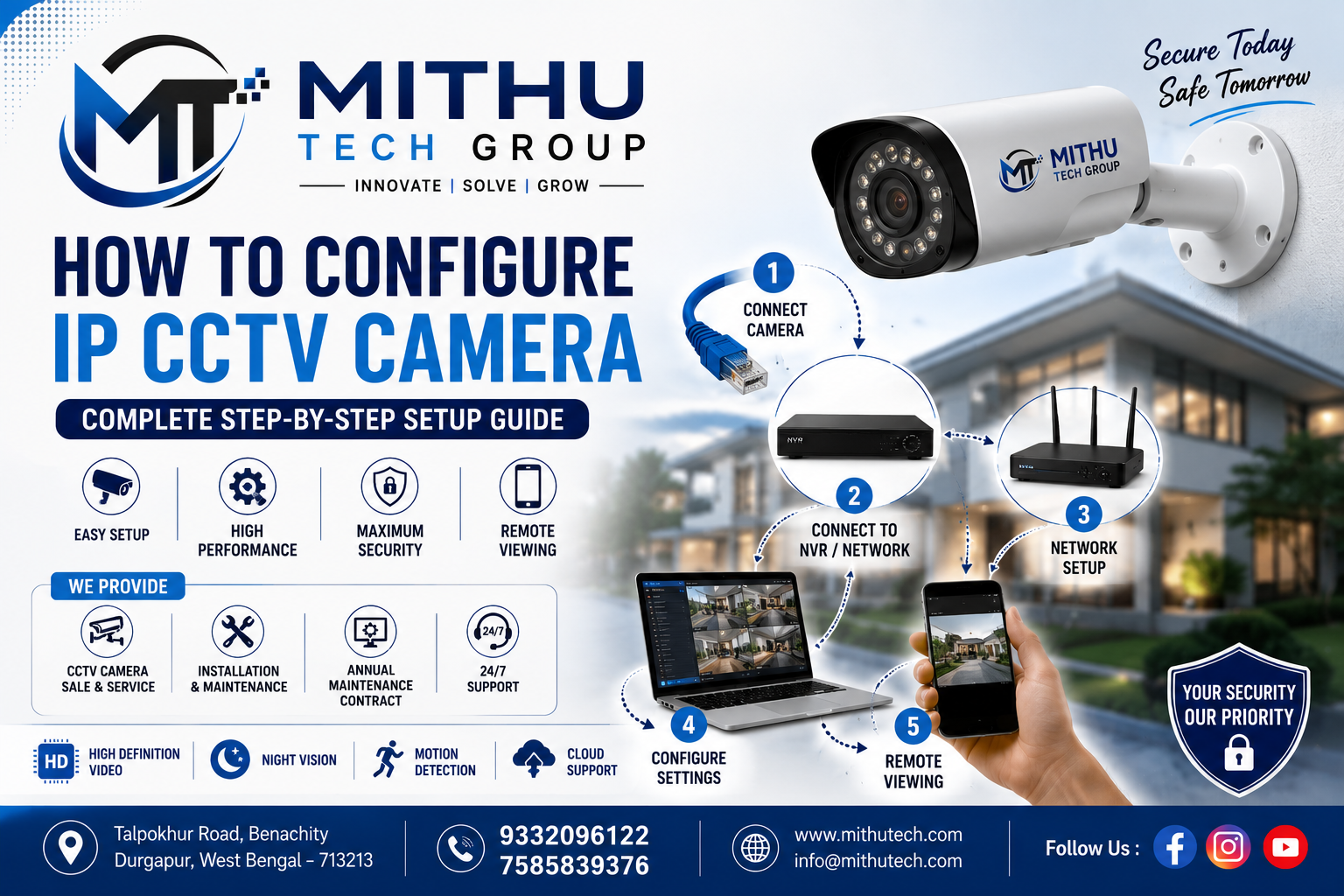
How to Configure IP CCTV Camera – Complete Step-by-Step Setup Guide (2026)
Learn how to configure IP CCTV camera with this complete step-by-step guide. Covers installation, network setup, PoE, NVR configuration, remote viewing, troubleshooting, and security tips.
Introduction – How to Configure IP CCTV Camera
\Security has become one of the most important aspects of modern homes and businesses. Whether you own a house, office, warehouse, school, hospital, shop, or factory, installing an IP CCTV camera system provides real-time surveillance, remote monitoring, and advanced security features.Unlike traditional analogue CCTV systems, IP (Internet Protocol) cameras transmit digital video over a network, delivering higher image quality, easier scalability, and intelligent features such as motion detection, AI analytics, and mobile access.This guide walks you through the complete process of configuring an IP CCTV camera, from selecting the right equipment to connecting it to your network and preparing it for advanced configuration in later sections.
What is an IP CCTV Camera?
An IP CCTV camera is a digital surveillance camera that communicates over a computer network using the Internet Protocol (IP). Each camera has its own network address, allowing it to send video directly to devices such as an NVR, computer, or smartphone.Unlike analogue systems, IP cameras do not require video signals to be converted by a DVR before recording.They provide:
- High-definition videoNetwork connectivityRemote viewingIntelligent analyticsFlexible installationBetter scalability
How Does an IP Camera Work?
An IP camera captures video using an image sensor, processes it internally, compresses it into formats such as H.264 or H.265, and transmits the stream over a network.The data can then be viewed or recorded by:
- Network Video Recorder (NVR)ComputerMobile phoneCloud platformNAS storageVideo Management Software (VMS)
A simplified workflow is:Camera → Network Switch/Router → NVR or Computer → Internet (optional) → Mobile App
Why Choose an IP CCTV Camera?
IP cameras offer several advantages over analogue CCTV systems:
Superior Image Quality
Most modern IP cameras support:
- 2MP4MP5MP8MP (4K)12MP and above
Higher resolutions capture clearer details such as faces and vehicle registration plates.
Remote Viewing
You can monitor your property from virtually anywhere using a smartphone, tablet, or computer, provided the camera is connected to the internet.
AI Features
Many current IP cameras include:
- Human detectionVehicle detectionFace detectionLine crossing alertsIntrusion detectionPeople countingSmart tracking
Better Security
Digital transmission supports:
- Password protectionUser permissionsEncryptionSecure remote accessFirmware updates
Flexible Expansion
Adding additional cameras is straightforward. Most systems allow you to expand as your surveillance needs grow.
Types of IP CCTV CamerasDome Camera
Commonly used indoors due to its discreet design.Suitable for:
- OfficesShopsSchoolsHotelsHomes
Bullet Camera
Designed for longer viewing distances and outdoor environments.Suitable for:
- Parking areasBuilding perimetersWarehousesFactories
PTZ Camera
Pan-Tilt-Zoom cameras allow remote movement and zoom control.Suitable for:
- StadiumsLarge campusesIndustrial sitesPublic areas
Turret Camera
A popular choice offering excellent night vision and minimal infrared glare.Suitable for both indoor and outdoor use.
Fisheye Camera
Provides a wide field of view, often covering an entire room with a single device.
ANPR Camera
Specialised cameras designed to recognise vehicle registration plates.Commonly used at:
- Toll plazasApartment entrancesIndustrial gatesParking facilities
Components Required
Before installation, ensure you have all necessary equipment.
Essential Components
Optional Accessories
Network Requirements
A reliable network is essential for stable camera performance.Recommended:
- Gigabit RouterCAT6 CableGigabit SwitchStable InternetUPS Backup
Recommended Internet Speed
For remote viewing:
| CamerasMinimum Upload Speed1–25 Mbps410 Mbps820 Mbps1640 Mbps |
|---|
Higher upload speeds improve remote video quality and responsiveness.
Tools Required
Professional installers typically use:
- Drill MachineScrewdriver SetRJ45 Crimping ToolLAN Cable TesterLaptopNetwork ScannerMultimeterLadderMeasuring TapeCable Ties
Before You Start
Before installing your camera:✔ Decide what you want to monitor.✔ Determine whether recording is required 24/7 or only on motion detection.✔ Check available internet connectivity.✔ Plan cable routes.✔ Identify suitable mounting points.✔ Ensure a nearby power source if PoE is not used.
Planning Your CCTV Installation
Proper planning improves surveillance coverage and reduces future maintenance.Ask yourself:
- Which entrances need monitoring?Are there any blind spots?Where is valuable equipment located?How many cameras are required?Will additional cameras be added later?
Best Camera LocationsHome
Office
Factory
Indoor vs Outdoor CamerasIndoor Cameras
Advantages:
- Lower costCompact designBetter aestheticsEasier installation
Outdoor Cameras
Features:
- Waterproof (IP66/IP67)Weather resistantNight visionWide temperature toleranceDust protection
Understanding PoE (Power over Ethernet)
PoE allows both power and data to travel through a single Ethernet cable.Benefits include:
- Fewer cablesEasier installationLower labour costsCleaner cable managementCentralised power control
PoE is widely used in modern IP CCTV installations.
Camera Mounting Tips
Avoid placing cameras:
- Directly facing sunlightBehind reflective glassToo close to bright lightsToo high to identify facesToo low where they can be tampered with
Recommended mounting height:
- Indoor: 2.5–3 metresOutdoor: 3–4 metres
Cable Planning
Good cable management improves both reliability and appearance.Best practices:
- Use CAT6 cableAvoid running network cables alongside high-voltage power cablesProtect outdoor cables with conduitLabel both ends of every cableLeave service loops for maintenance
Connecting the Camera
The basic physical connection is:
- Connect the Ethernet cable to the IP camera.Connect the other end to a PoE switch or PoE-enabled NVR.If PoE is unavailable, connect the camera to the network and use the appropriate DC power adapter.Wait for the camera to power up.
Most cameras complete their initial startup within 30–60 seconds.
Initial Camera Detection
After the camera boots:
- Check that the link/activity LEDs on the Ethernet port are lit or blinking.Confirm the camera appears in your router’s connected devices list or the NVR’s device search.If it is not detected, verify the cable, power source, and network port.
In Part 2, you’ll learn how to:
- Find the camera’s IP addressAccess the web interfaceChange the default passwordConfigure DHCP or a static IPSet date, time, and network optionsUpgrade firmwareEnable ONVIFConnect the camera to an NVR and mobile app
FAQs:
General IP CCTV Camera FAQs
1. What is an IP CCTV camera?
An IP CCTV camera is a digital surveillance camera that transmits video over a computer network using the Internet Protocol (IP).
2. How does an IP CCTV camera work?
It captures video, compresses it digitally, and sends it over a network to an NVR, computer, cloud server, or mobile app.
3. What does IP stand for?
IP stands for Internet Protocol.
4. What is the difference between an IP camera and an analogue camera?
IP cameras provide higher resolution, remote access, AI features, and network connectivity, whereas analogue cameras require a DVR and generally offer lower image quality.
5. Is an IP camera better than an analogue camera?
Yes, IP cameras generally offer better image quality, advanced features, and greater flexibility.
6. Can IP cameras work without the internet?
Yes. They can operate on a local network without internet access. Internet is only needed for remote viewing and cloud services.
7. Can IP cameras record without an NVR?
Yes. Many IP cameras support microSD cards or NAS storage.
8. What is an NVR?
NVR stands for Network Video Recorder, which records video from IP cameras.
9. What is a DVR?
DVR stands for Digital Video Recorder, mainly used with analogue CCTV cameras.
10. What is the maximum resolution of an IP camera?
Modern IP cameras range from 2MP to 12MP or higher, with many supporting 4K and beyond.
Installation FAQs
11. Where should I install an IP camera?
Install it at entrances, exits, driveways, parking areas, hallways, and other key monitoring points.
12. What is the best height for mounting an IP camera?
Typically between 2.5 and 4 metres, depending on the application.
13. Can I install an IP camera outdoors?
Yes, provided it has an IP66 or IP67 weatherproof rating.
14. How far can Ethernet cable run?
Up to 100 metres (328 feet) without additional networking equipment.
15. What cable is recommended?
CAT6 Ethernet cable is recommended for reliability and future-proofing.
16. Can one cable provide both power and data?
Yes, when using Power over Ethernet (PoE).
17. Do IP cameras need electricity?
Yes. They are powered either by PoE or a dedicated DC power adapter.
18. Can I install cameras myself?
Yes, for small systems. Larger or more complex installations are best handled by professionals.
19. Should cameras face direct sunlight?
No. Direct sunlight can reduce image quality and increase glare.
20. Can cameras be mounted on ceilings?
Yes. Dome and turret cameras are commonly ceiling-mounted.
Network Configuration FAQs
21. How do I find my camera’s IP address?
Use your router’s device list, the manufacturer’s discovery tool, or your NVR’s device search.
22. What is DHCP?
DHCP automatically assigns an IP address to devices on your network.
23. What is a Static IP?
A manually assigned IP address that remains constant.
24. Which is better: Static IP or DHCP?
Static IPs are generally preferred for CCTV systems because they provide stable addressing.
25. What is a subnet mask?
It defines the network range that devices use to communicate.
26. What is the default gateway?
The gateway is typically your router, enabling communication outside the local network.
27. What is DNS?
DNS translates domain names into IP addresses.
28. Why can’t my computer detect the camera?
Possible causes include incorrect IP settings, faulty cables, power issues, or firewall restrictions.
29. How can I change my camera’s IP address?
Through the camera’s web interface or the manufacturer’s configuration utility.
30. Can two cameras share the same IP address?
No. Each device must have a unique IP address.
PoE FAQs
31. What is PoE?
Power over Ethernet delivers power and data through a single Ethernet cable.
32. What are the benefits of PoE?
Simplified wiring, easier installation, and centralised power management.
33. Do all IP cameras support PoE?
No. Check the camera’s specifications before purchase.
34. What is a PoE switch?
A network switch that supplies both data and electrical power to compatible devices.
35. What is a PoE injector?
A device that adds PoE capability to a non-PoE network connection.
36. Can PoE damage a non-PoE camera?
No. Standards-compliant PoE equipment negotiates power safely.
37. What voltage does PoE use?
Most systems use approximately 48V under IEEE PoE standards.
38. Is PoE reliable?
Yes, it is widely used in commercial and enterprise surveillance systems.
39. Can PoE work over 100 metres?
Standard Ethernet supports up to 100 metres; longer distances require extenders or fibre.
40. Which is better: PoE or a separate power supply?
PoE is generally cleaner, easier to install, and easier to manage.
Mobile Viewing FAQs
41. Can I view my camera on my phone?
Yes, using the manufacturer’s mobile application.
42. Is remote viewing free?
Basic remote viewing is often free, though some cloud services require subscriptions.
43. Do I need Wi-Fi?
No. Cameras can operate over wired Ethernet. Wi-Fi is optional for wireless models.
44. Can multiple users access the same camera?
Yes, subject to user permissions.
45. Can I receive motion alerts?
Yes, if motion detection is enabled.
46. Can I view live video while recordings continue?
Yes.
47. Can cameras send email notifications?
Yes, if the feature is supported and configured.
48. Can I access cameras from another country?
Yes, provided remote access is enabled.
49. Is cloud storage necessary?
No. Local recording to an NVR, NAS, or microSD card is sufficient for many users.
50. Which app is best?
Use the official app recommended by your camera manufacturer.
Recording FAQs
51. How long can footage be stored?
It depends on storage capacity, resolution, frame rate, and recording mode.
52. Can recording continue during internet outages?
Yes, if recording is local.
53. What recording modes are available?
Continuous, scheduled, and motion-triggered recording.
54. Can footage overwrite automatically?
Yes, when loop recording is enabled.
55. Which hard drive should I use?
A surveillance-grade hard drive designed for continuous operation.
56. Can I record to a microSD card?
Yes, if supported by the camera.
57. What is H.265?
A video compression standard that reduces storage and bandwidth requirements compared with H.264.
58. Is H.265 better than H.264?
Yes, it is generally more efficient.
59. Can I download recordings?
Yes, through the NVR or camera interface.
60. Can recordings be backed up?
Yes, to external drives, NAS devices, or cloud services.
Security FAQs
61. Should I change the default password?
Absolutely. It is one of the most important security steps.
62. How often should firmware be updated?
Whenever the manufacturer releases stable security or feature updates.
63. What is ONVIF?
A standard that allows compatible IP cameras and recorders from different brands to work together.
64. Can hackers access IP cameras?
Poorly secured cameras can be vulnerable. Strong passwords and updates help reduce risk.
65. How do I improve security?
Use strong passwords, enable encryption where available, update firmware, and restrict unnecessary remote access.
66. Should I disable unused services?
Yes, to minimise potential attack surfaces.
67. Can I create multiple user accounts?
Yes, many systems support separate accounts with different permissions.
68. What is HTTPS?
A secure protocol that encrypts communication between your browser and the camera.
69. Should cameras be connected to a guest network?
For enhanced security, many users place cameras on a dedicated VLAN or isolated network rather than a guest network.
70. Can cameras use VPN access?
Yes. A VPN provides a more secure method of remote access.
Troubleshooting FAQs
71. Why is my camera offline?
Check power, network cables, switch ports, IP settings, and router status.
72. Why is the image blurry?
Clean the lens, adjust focus (if applicable), and check resolution settings.
73. Why does the image freeze?
Possible causes include insufficient bandwidth, network congestion, or hardware issues.
74. Why can’t I log in?
Verify your username, password, and network connectivity.
75. What should I do if I forget the password?
Use the manufacturer’s official password reset procedure.
76. Why is night vision not working?
Check IR settings, power, lens cleanliness, and environmental conditions.
77. Why does the camera restart randomly?
Possible causes include unstable power, overheating, or outdated firmware.
78. Why is there no video?
Check network connectivity, camera status, and video stream settings.
79. Why is recording missing?
Verify recording schedules, storage availability, and NVR configuration.
80. Why is the camera making clicking sounds?
Some cameras switch between day and night modes using an IR-cut filter, which can produce a clicking sound.
Advanced FAQs
81. What is RTSP?
A protocol used to stream live video from IP cameras.
82. What is RTMP?
A protocol commonly used for live video streaming to online platforms.
83. What is AI detection?
Technology that distinguishes people, vehicles, and other objects to reduce false alerts.
84. Can IP cameras detect faces?
Many modern cameras include face detection or face recognition features.
85. Can cameras count people?
Some AI-enabled cameras support people counting.
86. Can cameras recognise number plates?
Specialised ANPR cameras can recognise vehicle registration plates.
87. Can cameras integrate with smart homes?
Many models support integration with compatible home automation platforms.
88. Can IP cameras integrate with alarm systems?
Yes, many professional systems support alarm inputs and outputs.
89. What is a VMS?
Video Management Software used to manage and monitor multiple cameras.
90. Can I monitor multiple locations?
Yes, provided they are networked and configured for remote access.
Professional FAQs
91. How many cameras can an NVR support?
Common models support 4, 8, 16, 32, or more channels.
92. What bandwidth does an IP camera use?
It depends on resolution, frame rate, and compression settings.
93. Is fibre recommended for long distances?
Yes, fibre is ideal for long-distance or high-bandwidth installations.
94. Can one switch power multiple cameras?
Yes, provided the switch has sufficient PoE ports and power budget.
95. Should I use UPS backup?
Yes, a UPS helps maintain operation during power outages.
96. How often should CCTV systems be maintained?
Routine inspections every 3–6 months are recommended, with more frequent checks for critical installations.
97. Which IP camera brand is best?
Reputable brands include Hikvision, Dahua, Axis, Bosch, Hanwha Vision, Uniview, and CP Plus. The best choice depends on your budget and requirements.
98. How long do IP cameras last?
Quality cameras typically last 5–10 years or longer with proper maintenance.
99. Is professional installation worth it?
For larger or business-critical systems, professional installation can improve reliability, security, and long-term performance.
100. What is the biggest advantage of IP CCTV cameras?
High-definition video quality, intelligent features, remote accessibility, scalability, and strong integration capabilities make IP CCTV systems a leading choice for modern surveillance.