Introduction: Why Choosing the Right Hard Disk Matters for CCTV Cameras
Best Hard Disk for 24/7 CCTV Recording: When installing a CCTV camera system at home, in an office, at a shop, in a warehouse, or inside a commercial building, most people pay attention to camera quality, megapixels, night vision, and recording features. However, there is one important component that often gets overlooked: the hard disk.
Think about this situation.
You have installed 8 or 16 high-quality CCTV cameras at your business. Everything is working perfectly. The cameras provide clear video, night vision is excellent, and you can monitor everything from your mobile phone.
One day, something unexpected happens. A theft takes place, an employee damages company property, or an unknown person enters your premises.
You open your DVR or NVR to check the recording, but unfortunately, the footage is missing, corrupted, or unavailable.
What went wrong?
In some situations, the problem may be related to the storage device. A CCTV recorder works very differently from an ordinary desktop computer. It continuously receives video streams from multiple cameras and writes data to the hard disk throughout the day and night.
This is why choosing an ordinary computer hard disk for a CCTV recording system is not always a good decision.
For a CCTV system that operates 24 hours a day, 7 days a week, you should choose a dedicated surveillance hard disk.
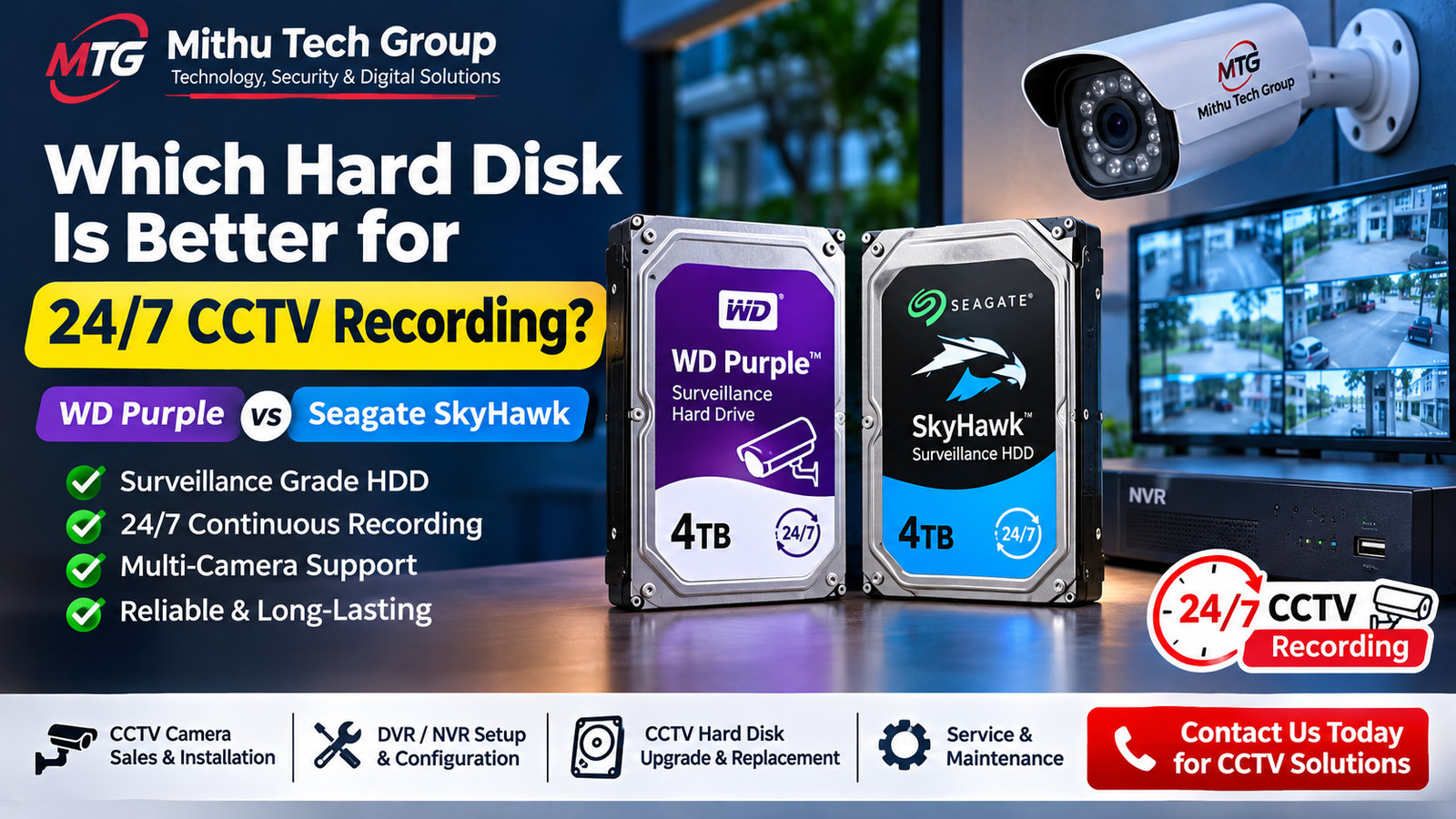
Two popular choices in the surveillance storage market are:
- WD Purple Surveillance HDD
- Seagate SkyHawk Surveillance HDD
Both are designed for continuous CCTV recording. But which one should you purchase? Is WD Purple better than Seagate SkyHawk? What storage capacity do you need? Can you use a normal desktop hard disk in a DVR or NVR?
In this detailed guide, Mithu Tech Group explains everything you should know before purchasing a CCTV hard disk.
Our objective is simple: help you choose the right storage solution so that your important security footage remains available when you need it most.
1. What Is a CCTV Surveillance Hard Disk?
A CCTV surveillance hard disk is a specially designed storage device used in Digital Video Recorders (DVRs) and Network Video Recorders (NVRs).
Its primary job is to store video footage continuously from connected CCTV cameras.
Unlike a normal computer, which performs different activities such as opening applications, browsing the internet, transferring files, and playing videos, a CCTV recorder spends most of its operating time writing video data to the hard disk.
For example:
- A 4-camera CCTV system records footage from four cameras.
- An 8-camera CCTV system receives video streams from eight cameras.
- A 16-camera NVR can continuously record video from sixteen connected cameras.
All these recordings need to be stored safely.
A surveillance hard disk is designed to handle this type of continuous workload.
Important features of a surveillance HDD
A good CCTV hard disk generally offers:
- Continuous 24/7 operation support.
- Optimized video recording performance.
- Support for multiple camera streams.
- Firmware designed for surveillance workloads.
- Better suitability for DVR and NVR environments.
- Reliable recording and playback performance.
- Compatibility with supported surveillance recorders.
This is why professional CCTV installers generally recommend surveillance-grade HDDs instead of ordinary desktop storage drives.
2. Which Hard Disk Is Better for 24/7 CCTV Recording?
If you want a straightforward answer, both WD Purple and Seagate SkyHawk are excellent options for mainstream CCTV recording systems.
However, your final choice should depend on the recorder model, camera count, recording resolution, storage requirement, and budget.
Let’s understand both options.
3. WD Purple Surveillance Hard Disk – Is It Good for CCTV?
WD Purple is one of the well-known surveillance hard disk product families from Western Digital.
It is specifically designed for always-on security systems, including CCTV DVRs and NVRs.
Unlike a conventional desktop hard disk, WD Purple is optimized for continuous video recording.
Key features of WD Purple
1. Designed for 24/7 recording
WD Purple is built for surveillance environments where the recorder operates continuously.
This makes it suitable for shops, offices, homes, factories, warehouses, schools, and other commercial premises.
2. AllFrame Technology
One of its important features is WD AllFrame technology.
This technology helps improve video capture and playback by reducing frame-loss problems associated with video streaming.
For a CCTV system, this is particularly important because missing frames can affect the usefulness of recorded footage.
3. Multi-camera support
Selected WD Purple models are designed to support up to 64 single-stream HD cameras.
Always check the exact model specifications and recorder compatibility before purchasing.
4. Workload rating
Many mainstream WD Purple models offer a workload rating of up to 180TB per year.
A workload rating indicates how much data the drive is designed to transfer annually under specified operating conditions.
5. Designed for surveillance environments
CCTV recorders often operate continuously in enclosed spaces. Surveillance HDDs are designed with the thermal and operating demands of these environments in mind.
Where should you use WD Purple?
WD Purple is a suitable choice for:
- Home CCTV camera installations.
- Small and medium-sized businesses.
- Retail shops and showrooms.
- Office security systems.
- Residential apartment CCTV systems.
- Schools and educational institutions.
- Warehouses and factories.
- DVR and NVR installations.
For most standard CCTV installations, WD Purple is a sensible choice.
4. Seagate SkyHawk Surveillance Hard Disk – Another Excellent Choice
Seagate SkyHawk is another popular surveillance storage solution.
Like WD Purple, it is designed specifically for continuous CCTV recording.
It is suitable for systems where multiple cameras record footage throughout the day and night.
Key features of Seagate SkyHawk
1. ImagePerfect Firmware
Seagate uses ImagePerfect firmware in its SkyHawk surveillance HDD family.
It is designed to handle continuous video recording workloads and support multiple camera streams.
2. Continuous recording support
SkyHawk is engineered for 24/7 surveillance applications.
This makes it appropriate for CCTV installations where recording interruptions can create security problems.
3. Support for multiple cameras
Selected mainstream SkyHawk models support up to 64 HD camera streams, subject to the model’s specifications and system configuration.
4. Workload rating
Mainstream SkyHawk models are rated for workloads of up to 180TB per year.
Higher-end SkyHawk AI models are designed for more demanding surveillance and analytics workloads.
5. SkyHawk Health Management
Supported systems can use SkyHawk Health Management to monitor drive health and provide information that can help with storage maintenance.
Where should you use Seagate SkyHawk?
Seagate SkyHawk is suitable for:
- Residential CCTV systems.
- Commercial CCTV installations.
- Multi-camera NVR systems.
- Office surveillance.
- Shopping centres.
- Industrial security systems.
- Schools and hospitals.
- Continuous video recording applications.
It is a strong alternative to WD Purple for mainstream surveillance applications.
5. WD Purple vs Seagate SkyHawk: Which One Is Better?
This is probably the most common question customers ask when purchasing a new CCTV hard disk.
Both brands offer surveillance-specific technology, but their features have different names.
Here is a practical comparison.
| Feature | WD Purple | Seagate SkyHawk |
|---|---|---|
| Product category | Surveillance HDD | Surveillance HDD |
| 24/7 recording | Yes | Yes |
| Video technology | AllFrame | ImagePerfect |
| Mainstream workload rating | Up to 180TB/year on applicable models | Up to 180TB/year on applicable models |
| Camera support | Up to 64 on applicable models | Up to 64 on applicable models |
| DVR compatibility | Subject to model | Subject to model |
| NVR compatibility | Subject to model | Subject to model |
| Best application | CCTV recording | CCTV recording |
Our recommendation
For a standard 4-channel, 8-channel, or 16-channel CCTV installation, you can confidently consider either WD Purple or Seagate SkyHawk, provided the exact model is compatible with your recorder.
We would not recommend choosing one brand solely because of its name.
Instead, compare:
- Actual model specifications.
- Available storage capacity.
- Warranty coverage.
- Genuine product availability.
- Recorder compatibility.
- Purchase price.
- Seller reliability.
The best CCTV hard disk is the one that matches your recording requirements and is supported by your DVR or NVR.
6. Can You Use a Normal Computer Hard Disk for CCTV Recording?
Technically, some desktop hard disks can work inside certain CCTV recorders.
But should you use one for a professional CCTV installation?
Our recommendation is no, unless the recorder manufacturer specifically supports that drive and the workload is appropriate.
Let’s understand why.
Difference between desktop HDD and surveillance HDD
A desktop hard disk is primarily designed for everyday computer operations.
A CCTV surveillance hard disk is designed for continuous recording and multiple video streams.
| Comparison | Desktop HDD | Surveillance HDD |
|---|---|---|
| Main purpose | Computer storage | CCTV recording |
| Continuous 24/7 workload | Not its primary design purpose | Designed for it |
| Video-stream optimization | Generally absent | Available on supported models |
| Multi-camera recording | Not its intended application | Designed for surveillance streams |
| DVR/NVR suitability | Depends on recorder support | Primary intended use |
| Recommendation | Avoid for dedicated CCTV use | Recommended |
What problems can occur with a desktop HDD?
Using an unsuitable desktop drive may result in:
- Recording interruptions under heavy workloads.
- Reduced reliability under continuous operation.
- Increased storage-related maintenance.
- Playback problems in certain recorder configurations.
- Shorter useful life under unsuitable operating conditions.
Remember, a CCTV hard disk is not simply a place to save video files. It is an essential part of your security system.
Saving a small amount of money on storage is not worth risking important recordings.
7. Which Hard Disk Capacity Is Best for CCTV: 500GB, 1TB, 2TB, 4TB or 8TB?
Choosing the correct storage capacity is just as important as selecting the right brand.
A common mistake is purchasing a hard disk without calculating how many days of footage it can store.
For example, a customer may install 8 cameras and assume that a 1TB hard disk will provide 30 days of recording.
Unfortunately, that may not be true.
The actual recording duration depends on several factors:
- Number of cameras.
- Camera resolution.
- Video compression technology.
- Bitrate.
- Frames per second (FPS).
- Continuous or motion-based recording.
- Audio recording.
- Available usable storage.
Common CCTV hard disk capacities
500GB HDD
Suitable only for certain small or low-bitrate recording requirements. It may provide limited retention time.
1TB HDD
Can be suitable for small CCTV installations where the required retention period is relatively short.
2TB HDD
A practical option for many small and medium CCTV systems, depending on the number of cameras and recording settings.
4TB HDD
Useful for installations requiring longer footage retention or higher-resolution recording.
6TB and 8TB HDD
Suitable for larger recording requirements, subject to recorder compatibility.
Above 8TB
Generally considered for larger surveillance systems, multi-bay recorders, or specialized installations. Always check the recorder’s maximum supported capacity.
Important: Bigger storage does not automatically mean better recording.
If your cameras record at high resolution and high bitrate, even a large hard disk can fill up quickly.
The right capacity should be calculated according to your actual recording configuration.
8. How Many Days of CCTV Recording Can a 1TB Hard Disk Store?
Let’s understand this with a practical example.
Suppose you have:
- 4 CCTV cameras.
- Each camera records at approximately 2 Mbps.
- Continuous recording.
- 24 hours of recording per day.
- H.265 compression, if supported and configured.
The total recording bitrate is:
4 × 2 Mbps = 8 Mbps.
Approximately 1 Mbps of continuous recording consumes 10.8GB per day.
Therefore:
8 × 10.8GB = 86.4GB per day.
With approximately 1TB of usable storage:
1,000GB ÷ 86.4GB = approximately 11.6 days.
This is a simplified estimate, not a guaranteed retention period. Actual results depend on bitrate variation, usable disk capacity, audio, recorder overhead, and recording configuration.
Example CCTV recording estimates
The following examples assume approximately 2 Mbps per camera and continuous recording.
| Camera Count | Approx. Daily Storage | Approx. 1TB Retention |
|---|---|---|
| 2 Cameras | 21.6GB | 46 days |
| 4 Cameras | 43.2GB | 23 days |
| 8 Cameras | 86.4GB | 11 days |
| 12 Cameras | 129.6GB | 7 days |
| 16 Cameras | 172.8GB | 5 days |
These estimates assume 1,000GB of available storage and do not account for every real-world recording variation.
Want to calculate your exact CCTV recording backup?
Mithu Tech Group can help you estimate the required storage according to your camera count, resolution, bitrate, and required backup days.
9. Does 2.4MP CCTV Camera Require More Storage Than 2MP?
Yes, it can.
A 2.4MP camera may generate more video data than a 2MP camera, depending on its bitrate, compression settings, frame rate, and image complexity.
However, megapixels alone do not determine storage consumption.
For example:
- A 2MP camera recording at 2 Mbps.
- A 2.4MP camera recording at 3 Mbps.
The second camera will use approximately 50% more storage per day if both operate continuously at those bitrates.
This is why it is important to check the actual recording bitrate rather than relying only on camera resolution.
What about 4MP, 5MP and 8MP cameras?
Higher-resolution cameras can provide more image detail, but they may also require additional storage and network bandwidth.
If you are upgrading from 2MP cameras to 4MP or 8MP cameras, review your storage requirements before installation.
10. H.264 vs H.265: Which Compression Is Better for CCTV Storage?
Video compression plays an important role in CCTV recording.
Two common compression technologies are H.264 and H.265.
H.264
H.264 is a widely used video compression format.
It is compatible with many older and newer DVR/NVR systems.
However, depending on the video settings, it may require more storage than H.265 for comparable visual quality.
H.265
H.265 is a more advanced compression standard.
It can provide better compression efficiency than H.264, potentially reducing storage requirements while maintaining comparable visual quality.
However, the actual benefit depends on the camera, scene, bitrate, and recorder configuration.
Which one should you choose?
If your CCTV cameras and NVR support H.265, it is worth considering.
Before enabling it, check that:
- Your recorder supports H.265.
- Your cameras support the selected compression format.
- Your mobile viewing application supports playback.
- Your recording settings provide acceptable image quality.
Do not reduce bitrate excessively just to save storage. Poor-quality footage can become difficult to use when identifying a person, vehicle, or other important detail.
11. What Is Better for CCTV: 24/7 Continuous Recording or Motion Detection Recording?
Most modern DVRs and NVRs provide different recording options.
Two common methods are continuous recording and motion detection recording.
Continuous recording
In this mode, the recorder saves footage throughout the day and night.
Advantages:
- Continuous video availability.
- No dependency on motion detection for basic recording.
- Useful for shops, offices, factories, and commercial properties.
- Better continuity when reviewing incidents.
Disadvantages:
- Higher storage consumption.
- More continuous writing activity on the hard disk.
- Shorter retention time for the same storage capacity.
Motion detection recording
In this mode, the recorder records according to configured motion detection events.
Advantages:
- Can reduce storage consumption.
- Can increase retention time.
- Makes it easier to locate certain events.
- Useful in selected residential applications.
Disadvantages:
- Incorrect detection settings may miss events.
- Environmental movement can trigger unnecessary recording.
- Poorly configured detection zones can affect recording coverage.
Our recommendation
For businesses, warehouses, offices, and locations where complete security coverage is important, continuous recording is often preferable.
Motion-based recording can be useful where storage capacity is limited, provided motion detection is configured and tested correctly.
Some recorders also support hybrid recording schedules.
12. How to Identify a Genuine CCTV Surveillance Hard Disk
When purchasing a CCTV hard disk, always pay attention to product authenticity.
Unfortunately, buyers can encounter used, refurbished, or incorrectly advertised storage devices.
Here are some precautions.
1. Purchase from a reliable seller
Choose a trusted supplier who can provide a proper invoice.
2. Check the model number
Verify whether the drive is actually a surveillance model.
Examples include WD Purple and Seagate SkyHawk product families.
3. Check the warranty
Confirm the warranty status and terms applicable to the product in India.
4. Check the physical condition
Avoid drives with damaged connectors, visible physical damage, or signs of improper handling.
5. Check the drive health
After installation, inspect the drive using supported diagnostic tools and the recorder’s available HDD health information.
6. Keep the purchase invoice
An invoice is important for warranty claims and future maintenance.
At Mithu Tech Group, we believe that a CCTV installation should be reliable from the camera to the storage device.
13. How to Check Whether Your CCTV Hard Disk Is Working Properly
Installing a surveillance hard disk is only the first step.
You should also periodically check its condition.
Here are some simple steps.
Step 1: Open the DVR or NVR settings
Log in to your recorder using the administrator account.
Step 2: Find the Storage or HDD section
Depending on the recorder brand, the option may be called:
- HDD Management
- Storage Management
- Disk Management
- HDD Information
Step 3: Check the HDD status
Look for the following information:
- Normal
- Healthy
- Initialized
- Read/Write
- Abnormal
- HDD Error
The exact status labels depend on the recorder.
Step 4: Check available storage
Confirm whether the hard disk is showing its expected capacity.
Step 5: Verify recorded footage
Play recordings from different cameras and different time periods.
Make sure that playback is working properly.
Step 6: Check for recording gaps
Review the recording timeline and confirm that the system is recording according to your configured schedule.
Step 7: Check HDD temperature and health information
If your recorder provides temperature or health monitoring, review it periodically.
If you notice abnormal noise, repeated HDD errors, missing recordings, or unexpected shutdowns, contact a CCTV technician.
Important: If footage is important and the disk appears to be failing, avoid unnecessary writing, formatting, or initialization. These actions may make data recovery more difficult.
14. Why Does a CCTV Hard Disk Fail?
Even a surveillance-grade HDD is not guaranteed to last forever.
Like every mechanical storage device, it can eventually develop faults.
Some common reasons include:
1. Continuous operating hours
A CCTV hard disk operates for thousands of hours every year.
Although surveillance HDDs are designed for this workload, they still experience mechanical wear.
2. High temperature
Poor ventilation and excessive heat inside a DVR cabinet can affect drive reliability.
3. Power fluctuations
Unstable electricity and sudden power interruptions can create problems for the recorder and its storage device.
4. Poor-quality power supply
An unsuitable or failing power supply may affect the stability of the entire CCTV system.
5. Incorrect installation
Loose SATA cables, poor connections, and improper mounting can cause operational problems.
6. Overloaded recording configuration
A recorder operating beyond its supported camera, stream, or storage workload can experience performance issues.
7. Age and mechanical wear
Hard disks contain moving mechanical components. Their condition can deteriorate over time.
How can you reduce these risks?
- Use a genuine surveillance HDD.
- Install the correct capacity.
- Maintain proper ventilation.
- Use a suitable UPS where appropriate.
- Keep the DVR/NVR firmware updated.
- Check recording status regularly.
- Replace a faulty HDD promptly.
- Maintain an additional backup for critical footage.
15. Which CCTV Hard Disk Is Best for CP Plus DVR and NVR?
CP Plus is widely used in CCTV installations.
If you are using a CP Plus DVR or NVR, WD Purple and Seagate SkyHawk can be suitable storage choices, provided the exact recorder supports the selected HDD.
Before purchasing, check:
- Recorder model number.
- Supported HDD interface.
- Maximum supported capacity.
- Number of HDD bays.
- Supported recording workload.
- Manufacturer compatibility recommendations.
For example, an 8-channel NVR and a 16-channel NVR may have different storage configurations.
Do not assume that every recorder supports every hard disk capacity.
What about 16-channel NVR systems?
A 16-channel NVR recording 14 cameras continuously will require more storage than a 4-channel system.
If the cameras operate at 2.4MP resolution, the actual storage requirement will depend on their configured bitrates and compression.
For this type of installation, we recommend calculating storage before finalizing the hard disk.
This helps avoid unnecessary upgrades and insufficient recording backup.
16. WD Purple Pro vs WD Purple: What Is the Difference?
Not every CCTV installation needs an expensive professional-grade hard disk.
WD offers different surveillance storage product families.
WD Purple
Designed for mainstream surveillance applications.
It is appropriate for many standard home and commercial CCTV systems.
WD Purple Pro
Designed for more demanding surveillance environments, including higher workload applications and compatible systems with advanced analytics.
Depending on the exact model, it can offer higher workload ratings and support for additional analytics streams.
If you are installing a standard 4-channel or 8-channel CCTV system, regular WD Purple may be sufficient.
For larger multi-bay recording systems or demanding AI-enabled applications, consider a professional-grade model after checking compatibility.
17. Seagate SkyHawk vs SkyHawk AI: Which One Should You Buy?
Seagate also offers different product levels.
Seagate SkyHawk
Designed for mainstream 24/7 CCTV recording.
It is suitable for many standard DVR and NVR systems.
Seagate SkyHawk AI
Designed for compatible AI-enabled surveillance systems.
It supports more demanding video analytics workloads and additional AI streams.
For ordinary CCTV installations, SkyHawk is generally the more practical option.
For advanced surveillance systems using video analytics, SkyHawk AI may be worth considering.
Always check the specifications of the exact model rather than assuming every feature is available across the entire product family.
18. CCTV Hard Disk Maintenance Tips for Long-Term Performance
Many people install a CCTV system and forget about it.
They only check the recording when an incident occurs.
That is not a good security practice.
A CCTV system should be inspected periodically.
Here are some maintenance recommendations from our installation experience.
Monthly maintenance
- Check whether all cameras are recording.
- Verify HDD status.
- Check available storage capacity.
- Test playback from different cameras.
- Check the recording schedule.
Quarterly maintenance
- Inspect the DVR/NVR ventilation.
- Check power connections.
- Review HDD health information.
- Inspect the UPS, if installed.
- Confirm that the recorder date and time are correct.
Annual maintenance
- Review the condition of the hard disk.
- Check warranty information.
- Evaluate whether the storage capacity still meets your requirements.
- Review important recording and backup requirements.
A small amount of preventive maintenance can help identify problems before you urgently need recorded footage.
19. Why Professional CCTV Installation Matters
A good CCTV system is not just about purchasing expensive cameras.
The entire installation must work together.
This includes:
- CCTV cameras.
- DVR or NVR.
- Surveillance hard disk.
- Power supply.
- Network cabling.
- Connectors.
- UPS and power protection.
- Mobile monitoring configuration.
- Recording and playback settings.
Even an excellent WD Purple or Seagate SkyHawk hard disk cannot compensate for an incorrectly configured recording system.
For example, if the recorder is not configured properly, your system may not provide the expected recording coverage.
This is why professional installation and testing are important.
20. Why Choose Mithu Tech Group for CCTV Camera Installation in Durgapur?
<company>Mithu Tech Group</company> provides CCTV camera sales, installation, servicing, and security system solutions in Durgapur, West Bengal.
Our focus is not simply installing cameras. We aim to provide a complete surveillance solution according to the customer’s actual requirements.
Whether you need CCTV installation for a small residential property or a large commercial premises, we can help you select suitable equipment.
Our CCTV services include:
CCTV Camera Sales
We help customers choose suitable CCTV cameras according to their security requirements and budget.
CCTV Camera Installation
Professional installation for homes, shops, offices, apartments, factories, and commercial properties.
DVR and NVR Installation
Installation and configuration of compatible recording devices.
CCTV Hard Disk Replacement
Assistance with replacing faulty or insufficient CCTV storage drives.
CCTV Recording Backup Solutions
Storage planning according to camera resolution, bitrate, camera count, and required retention period.
Remote Mobile Viewing
Configuration of supported CCTV systems for remote monitoring through mobile applications.
CCTV Repair and Maintenance
Troubleshooting, servicing, and maintenance of CCTV installations.
Areas We Serve
Mithu Tech Group provides CCTV installation and related services across Durgapur, including:
- Benachity
- City Centre
- Bidhannagar
- Muchipara
- Fuljhore
- A-Zone
- B-Zone
- Durgapur Station Area
- Sepco Township
- Bidhannagar Industrial Area
- Nearby residential and commercial locations
For service availability in your specific location, contact our team.
21. Final Verdict: Which Hard Disk Should You Buy for 24/7 CCTV Recording?
Let’s make the decision simple.
If you are planning to install CCTV cameras at your home, office, shop, warehouse, or commercial building, choose a dedicated surveillance-grade hard disk.
Our practical recommendations are:
| Requirement | Recommended HDD |
|---|---|
| Small home CCTV system | WD Purple / SkyHawk |
| Shop CCTV installation | WD Purple / SkyHawk |
| 8-channel DVR/NVR | WD Purple / SkyHawk |
| 16-channel NVR | Compatible WD Purple / SkyHawk with calculated capacity |
| Large multi-camera system | Higher-capacity compatible surveillance HDD |
| Advanced AI surveillance | WD Purple Pro / SkyHawk AI, where supported |
Our final recommendation
WD Purple and Seagate SkyHawk are both excellent choices for standard 24/7 CCTV recording.
If you ask us which one we would recommend, we would say: choose either of these genuine surveillance-grade drives based on availability, warranty, exact specifications, and compatibility with your recorder.
Do not choose a normal desktop hard disk just because it is cheaper.
Your CCTV footage may become extremely important one day. The storage device should be selected with that responsibility in mind.
Frequently Asked Questions (FAQs)
1. Which hard disk is best for 24/7 CCTV recording?
WD Purple and Seagate SkyHawk are two of the most suitable options for mainstream 24/7 CCTV recording. Both are designed for continuous surveillance workloads.
2. Is WD Purple better than Seagate SkyHawk?
Both are excellent surveillance HDD families. The better choice depends on the exact model, price, warranty, availability, and compatibility with your DVR or NVR.
3. Can I use a normal 1TB computer hard disk in a CCTV DVR?
Some recorders may support certain desktop HDDs, but they are not the recommended choice for dedicated continuous CCTV recording. A surveillance-grade HDD is preferable.
4. How many days of CCTV recording can a 1TB hard disk store?
It depends on the number of cameras, resolution, bitrate, compression, and recording schedule. For example, four cameras recording continuously at 2 Mbps each may provide approximately 11–12 days on around 1TB of usable storage.
5. Is 1TB enough for 8 CCTV cameras?
It can be sufficient for a short retention period, but it may not provide many days of backup. The actual requirement should be calculated using the recording bitrate of all cameras.
6. Which HDD is best for a CP Plus 16-channel NVR?
WD Purple and Seagate SkyHawk are possible options, subject to the exact CP Plus NVR model’s compatibility and maximum supported capacity.
7. Can a CCTV hard disk record continuously for 365 days?
Yes. Surveillance HDDs are designed for continuous operation. However, this does not mean that they store an entire year’s footage. Older footage is normally overwritten when the recorder’s storage becomes full, depending on its configuration.
8. Why is my CCTV DVR showing HDD error?
Possible reasons include a faulty hard disk, loose SATA cable, power supply issues, unsupported drive, or an initialization problem. A technician should inspect the recorder before formatting or replacing the drive.
9. Is H.265 better than H.264 for CCTV recording?
H.265 generally offers better compression efficiency and can reduce storage consumption at comparable visual quality. Actual savings depend on the camera, bitrate, and recording settings.
10. Can I upgrade my 1TB CCTV hard disk to 2TB or 4TB?
Yes, if your DVR or NVR supports the larger capacity. Check the recorder’s specifications before upgrading.
11. Does CCTV recording stop when the hard disk becomes full?
Most DVRs and NVRs support automatic overwrite. When configured, the recorder deletes the oldest recordings to make space for new footage. However, this setting should be verified.
12. How often should a CCTV hard disk be replaced?
There is no universal replacement interval. Drive condition, operating environment, workload, and manufacturer specifications matter. Monitor its health and replace it when faults or warning signs appear.
13. Is a surveillance hard disk necessary for a 24-hour shop CCTV system?
It is strongly recommended. A surveillance HDD is designed for the continuous video recording workload typically found in shops and commercial security systems.
14. Which is better for CCTV, SSD or HDD?
For most traditional DVR/NVR recording systems, surveillance-grade HDDs offer a practical combination of capacity and cost. SSDs may be appropriate in certain specialized systems, but recorder compatibility and recording requirements must be checked.
15. Can Mithu Tech Group install CCTV cameras and replace hard disks in Durgapur?
Yes. Mithu Tech Group provides CCTV camera sales, installation, servicing, and storage upgrade assistance in Durgapur and nearby areas. Contact our team for service details.
Need CCTV Camera Installation or Hard Disk Replacement in Durgapur?
Don’t compromise on your security recording.
Whether you need a new CCTV camera installation, a WD Purple hard disk, a Seagate SkyHawk HDD, DVR/NVR setup, hard disk replacement, or complete CCTV maintenance, Mithu Tech Group is ready to assist.
We help residential and commercial customers choose suitable CCTV equipment according to their requirements and budget.
Contact Mithu Tech Group Today
CCTV Camera Sales | Installation | Repair | Service | HDD Replacement
Phone / WhatsApp: +91 9749101117
Website: https://www.mithutech.com
Business: Mithu Tech Group
Location: Benachity, Durgapur, West Bengal, India.
Get the right CCTV storage solution for uninterrupted security recording.
About Mithu Tech Group
Mithu Tech Group is a technology and security solutions business based in Durgapur, West Bengal. We provide CCTV camera sales and installation, computer and laptop services, website development, IT solutions, and other technology-related services.
Our goal is to provide dependable products, practical technical guidance, and professional service to residential and commercial customers.
Mithu Tech Group – Technology, Security & Digital Solutions.
Website: https://www.mithutech.com
Stay Connected With Us for More CCTV Tips, Installation Guides and Security Solutions.