Choosing a CCTV camera is not simply a matter of selecting the highest resolution or the most expensive model. A camera that works well at a shop entrance may be completely wrong for a warehouse gate, apartment corridor, office reception, factory boundary or residential driveway. The right surveillance system starts with the location, lighting, viewing distance, required detail, recording needs, network design and the way people will actually use the footage.
This original guide explains the major CCTV camera types used for homes and businesses in Durgapur and shows how to match each type with a practical security requirement. If you are planning a new system, it is useful to read this guide together with our complete CCTV installation guide for Durgapur. That article explains the broader planning process, while this guide focuses on choosing the camera itself.
Why CCTV Camera Type Matters
Every surveillance camera has a particular field of view, mounting style, lens configuration, night-vision capability and environmental tolerance. Two cameras can both be advertised as 4K while producing very different results in an actual property. A wide-angle camera may cover a large room but show a face at the far end too small to identify. A narrow lens may capture a gate clearly but leave blind spots around it. A camera with infrared illumination can see at night, but reflective walls, glass, dust or poor positioning can reduce the useful image.
For that reason, camera selection should follow a simple principle: define the security objective first and choose the equipment second. Common objectives include monitoring entrances, identifying visitors, watching cash counters, recording vehicle movement, observing production areas, checking corridors, protecting boundaries and keeping a visual record of activity around a property.
1. Dome CCTV Cameras
Dome cameras have a compact, rounded housing and are commonly installed on ceilings or walls. Their shape makes them suitable for indoor areas where a discreet appearance is desirable. Offices, retail stores, reception areas, corridors, clinics and apartment common spaces often benefit from dome-style cameras because the housing looks relatively neat and does not project as far as many traditional bullet designs.
A dome camera can be useful when the installation needs to blend into the environment. It can also be harder for a casual observer to determine the exact direction of the lens, although the real security benefit still comes from correct placement rather than appearance alone.
When selecting a dome camera, check the lens angle, sensor resolution, infrared performance and whether the housing is suitable for the location. A basic indoor dome is not automatically appropriate for an exposed outdoor area. If it will be installed where dust, rain or humidity are expected, use a model with an appropriate weather-resistant rating.
2. Bullet CCTV Cameras
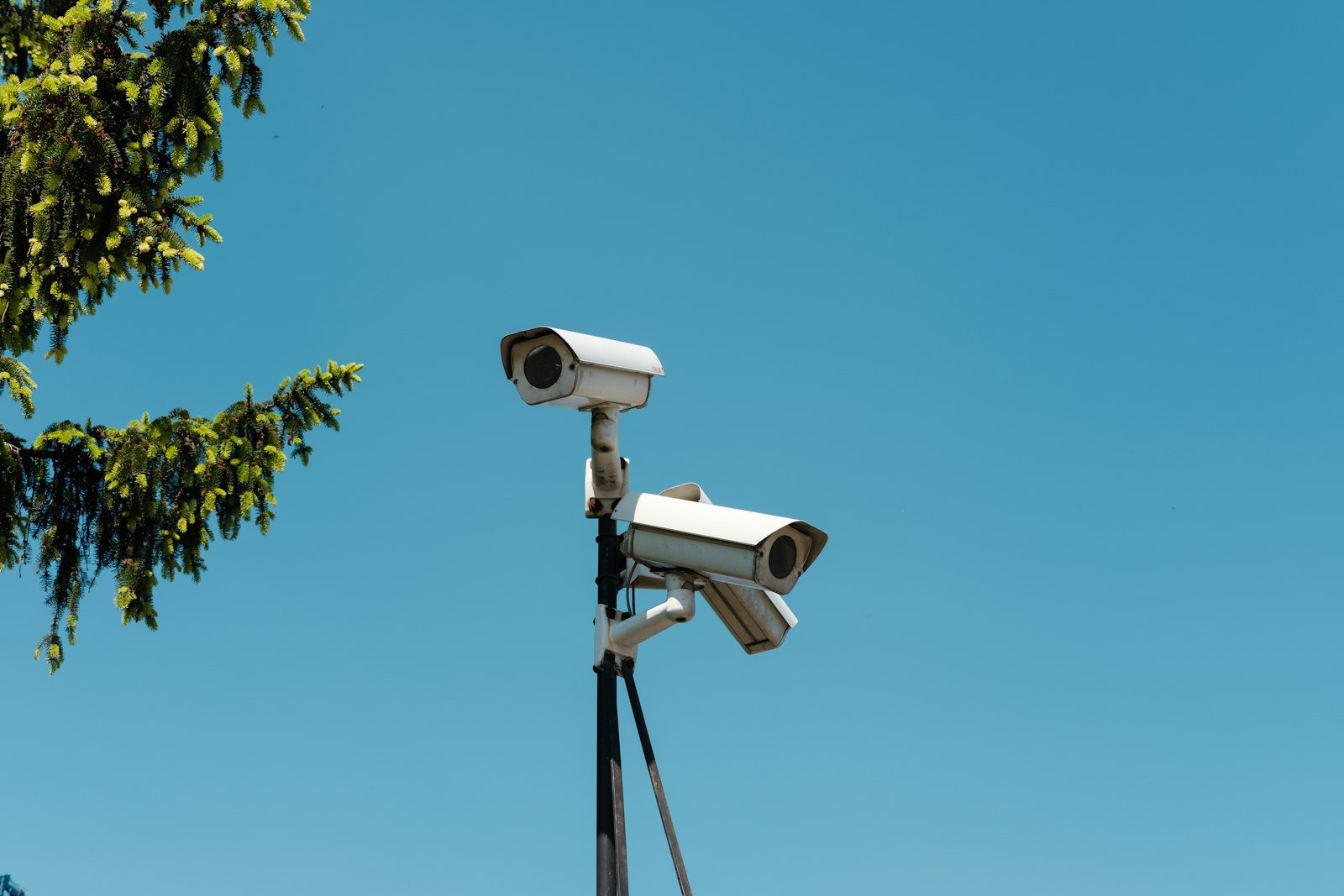
Bullet cameras have a longer, directional housing and are frequently used for outdoor walls, entrances, driveways, gates and boundary areas. Their shape naturally points toward a specific viewing direction, making them useful when the objective is to watch a road, gate, parking area or perimeter.
Bullet cameras are particularly practical where the camera needs a clear line of sight over a longer distance. However, simply choosing a camera described as long-range does not guarantee good identification. The lens, sensor, lighting and installation height all affect the final image.
For a Durgapur property, a bullet camera may be appropriate for an entrance facing a driveway or road, while a dome camera may be better for an indoor reception or corridor. Using both types in one system is normal and often produces better coverage than forcing one design to handle every location.
3. PTZ Cameras
PTZ means pan, tilt and zoom. These cameras can move horizontally, vertically and optically zoom into a selected area. They are useful when an operator needs to actively observe a large space rather than simply record fixed viewpoints.
PTZ cameras can be valuable for large campuses, industrial premises, open yards, warehouses, institutional sites and other locations where a single controllable camera can provide additional situational awareness. They can also be used for scheduled patrols or preset viewing positions when supported by the camera and recording platform.
There is an important limitation: a PTZ camera should not be treated as a replacement for every fixed camera. When a PTZ is pointed in one direction, another area may not be visible. A well-planned system may therefore use fixed cameras for continuous coverage and a PTZ camera for additional active observation.
4. IP Cameras
IP cameras transmit digital video over a network. They can be connected to an NVR, PoE switch, network infrastructure or other compatible equipment depending on the design. IP surveillance is popular because it can support high-resolution video, flexible networking and centralized management.
For a new commercial installation, IP cameras can be especially useful when the property already has structured network cabling or when the customer wants a scalable system. PoE technology can simplify installation by allowing compatible cameras to receive power and data through a single Ethernet cable.
However, an IP system should be designed carefully. Network bandwidth, cable quality, switch capacity, storage requirements, password security and remote access all matter. A camera is only one part of the system.
5. Analog HD Cameras
Analog HD systems use coaxial cabling and a compatible DVR to record video. They remain relevant when a customer wants to upgrade an existing coaxial CCTV installation without replacing all cabling.
The practical advantage of an analog system can be straightforward deployment where suitable coaxial cables are already installed. Depending on the camera and recorder, modern analog HD systems can deliver useful image quality for homes, shops and small businesses.
Before choosing a new analog system, inspect the existing cables, connectors, power supply and cable routes. Reusing damaged or poor-quality infrastructure can create problems that no camera specification can solve.
6. 4K and High-Resolution CCTV Cameras
Higher resolution can provide more image detail, but resolution should not be considered in isolation. A 4K camera may be valuable for locations where fine detail matters, such as a wide entrance, large showroom, vehicle area or important transaction zone. The benefit is greatest when the lens, lighting and storage system are also suitable.
Higher resolution generally means more data. That affects storage capacity, network bandwidth and recorder capability. Before installing several high-resolution cameras, calculate the expected recording load and decide how many days of footage are actually required.
For a small home, a very high-resolution camera everywhere may add cost without providing a meaningful improvement. A balanced system often uses higher-detail cameras at important points and appropriately selected cameras elsewhere.
7. Night Vision and Infrared Cameras
Night surveillance is one of the most important considerations in CCTV design. Infrared cameras use IR illumination to produce usable monochrome footage in low-light conditions. They are common in outdoor and indoor surveillance systems.
Night vision performance depends on more than an advertised IR distance. Nearby walls, gates, reflective surfaces, dust, rain and strong external lighting can change the result. Camera placement should therefore be tested in the actual environment whenever possible.
For entrances, the goal may be to capture a face rather than simply prove that somebody was present. This means the camera should be positioned so that the face is adequately illuminated and visible. Avoid pointing a camera directly toward a powerful light source because glare can reduce useful detail.
8. Full-Color and Low-Light Cameras
Some modern cameras are designed to preserve color information in very low-light environments. These can be useful when color is relevant to identifying clothing, vehicles, signs or objects at night.
Full-color performance depends strongly on available light. If the location is genuinely dark, a camera cannot create unlimited detail from nothing. Additional lighting may sometimes be a better investment than choosing a more expensive camera alone.
When evaluating low-light cameras, consider the actual scene at the time when security incidents are most likely to happen. A camera that looks excellent during a showroom demonstration may perform differently on a dark boundary road.
9. AI-Enabled CCTV Cameras
AI-enabled cameras can provide features such as human or vehicle detection, line crossing, intrusion detection, area monitoring and other analytics depending on the model and software. These functions can reduce unnecessary alerts compared with simple motion detection in suitable environments.
Analytics should be configured according to the site. For example, a busy road outside a shop can trigger large numbers of irrelevant motion events if detection zones are poorly configured. A properly planned detection area can focus attention on the entrance or restricted zone instead.
AI features should be treated as assistance rather than an absolute guarantee. Lighting, camera angle, image quality and environmental conditions still influence detection accuracy.
10. Wi-Fi CCTV Cameras
Wi-Fi cameras can be convenient where running Ethernet cable is difficult. They are commonly considered for homes, temporary installations and selected indoor locations. Their convenience, however, should not be confused with universal suitability.
A Wi-Fi camera depends on a stable wireless connection and suitable power. Thick walls, distance from the access point, interference and network congestion can affect reliability. For critical commercial surveillance, wired connections are often easier to control and troubleshoot.
Before choosing Wi-Fi, test the wireless signal at the exact installation point. Also consider what happens if the internet connection fails. Local recording options can be important because surveillance should not necessarily stop simply because remote internet access is unavailable.
11. Indoor CCTV Cameras
Indoor cameras are generally selected for controlled environments such as offices, homes, shops, reception desks, corridors and indoor storage areas. The main considerations are lens coverage, lighting, mounting position and privacy.
Indoor cameras should be placed to cover useful security zones without unnecessarily recording private areas. For businesses, consider entrances, cash handling zones, inventory areas and other locations where monitoring is justified by the security objective.
12. Outdoor CCTV Cameras
Outdoor cameras need to handle changing weather, dust, temperature and environmental exposure. Their housing should be appropriate for the installation conditions. Mounting hardware and cable protection matter as much as the camera specification.
Outdoor cameras should be positioned to avoid easy tampering and should not be mounted so high that the captured faces become too small. The correct height is a compromise between protection from interference and useful identification.
How to Choose the Right CCTV Camera for a Durgapur Property
Start with a simple site survey. Walk around the property during both daytime and nighttime if possible. Mark every entrance, exit, gate, parking zone, corridor, staircase, cash point, storage area and other location that requires monitoring. Then identify what each camera needs to accomplish.
For a house, the priority may be the main gate, entrance door, driveway, parking area and rear access. For a shop, important views may include the entrance, billing counter, display area and stock room. An office may need reception, entrances, corridors and sensitive operational areas. A factory or warehouse can require perimeter coverage, loading zones, production areas and vehicle movement monitoring.
Once the locations are defined, select lens types and camera designs. Next, plan the recorder, storage, power supply and network. Finally, check remote viewing and security settings.
Camera Lens: The Detail Most People Ignore
The lens determines how wide or narrow the camera sees. A wide lens can cover more area but may make distant subjects appear smaller. A narrower lens can provide more detail at a selected distance but covers less surrounding space.
This is why simply asking for a certain megapixel count is not enough. A camera should be selected according to the distance between the lens and the area that needs to be recognized.
DVR vs NVR: What Is the Difference?
A DVR is normally associated with coaxial analog camera systems, while an NVR is designed around network cameras. The correct recorder depends on the camera technology and system architecture.
When planning a new IP installation, an NVR can provide centralized recording for network cameras. In PoE systems, compatible network switches or PoE NVR ports can simplify connectivity.
For an existing analog installation, replacing the recorder and selected cameras may sometimes provide a practical upgrade path without replacing every cable.
Storage Planning for CCTV
Storage should be calculated before installation. The required capacity depends on camera count, resolution, frame rate, compression, recording schedule and the number of days of footage you want to retain.
Continuous recording uses more storage than motion-based recording. Motion recording can reduce storage use but needs carefully configured detection. Critical cameras may be configured differently from low-risk areas.
Do not select a hard drive solely by capacity. Use a drive intended for surveillance workloads and confirm compatibility with the recorder.
PoE and Network Planning
Power over Ethernet can simplify IP camera installations because compatible cameras can receive power and data over one Ethernet connection. This can reduce cable complexity and make maintenance easier.
Network design still matters. Use suitable cable, avoid unnecessarily long or poorly protected runs, label both ends of important cables and keep network equipment protected from moisture and accidental damage.
For larger installations, calculate switch capacity and uplink requirements rather than adding cameras without considering the network as a whole.
Remote Viewing and Mobile Monitoring
Modern CCTV systems can often provide remote viewing through a mobile application or web interface. Remote access is useful for business owners who need to check a shop, office, home or other property while away.
Remote access should be configured securely. Use strong unique passwords, keep firmware and applications updated where appropriate, avoid sharing administrator credentials unnecessarily and review user permissions. If remote access is not required, disabling unnecessary exposure can reduce the attack surface.
Common CCTV Camera Selection Mistakes
Choosing only by megapixels: Resolution matters, but lens selection and lighting are equally important.
Installing one camera to do everything: A camera cannot cover every direction simultaneously. Blind spots should be identified during planning.
Ignoring nighttime conditions: Daytime testing alone can hide serious problems.
Mounting too high: A camera that is difficult to reach may be physically safer, but faces can become too small for identification.
Using unsuitable outdoor equipment: Indoor equipment may not tolerate exposed weather conditions.
Forgetting storage: A camera can record excellent footage, but without enough reliable storage the required history may not be available.
Leaving default or weak passwords: Network-connected surveillance equipment should be treated as part of the property’s IT environment.
Ignoring cable quality: Poor cabling can cause intermittent video, power problems and difficult troubleshooting.
Privacy and Responsible CCTV Use
CCTV should have a legitimate security purpose and should be positioned responsibly. Avoid unnecessarily recording neighboring private spaces or areas where surveillance is not justified. Businesses should consider appropriate notices, access controls and retention practices according to applicable laws and their operational requirements.
The objective of surveillance should be useful security, not indiscriminate recording. Restrict access to recorded footage and avoid sharing recordings casually.
CCTV Camera Selection for Homes, Shops, Offices and Factories
Homes: Focus on gates, doors, driveways, parking and vulnerable access points. A combination of outdoor bullet cameras and indoor dome cameras can be practical.
Shops: Prioritize the entrance, billing counter, customer area and stock zones. Camera angles should help review transactions and movement.
Offices: Reception, entrances, corridors and selected operational areas may require coverage. Privacy should be considered carefully.
Factories and warehouses: Larger properties may require a combination of fixed cameras, long-view cameras, PTZ coverage and carefully planned network infrastructure.
For office-specific planning, you can also read our detailed office CCTV installation guide. For retail properties, see the shop CCTV installation guide. Homeowners can refer to our home CCTV installation guide.
How a Professional CCTV Site Survey Helps
A professional survey turns a list of cameras into an actual security design. The installer can check viewing distances, light sources, mounting surfaces, cable routes, power availability, recorder location and network requirements.
The survey should also identify future expansion. If a business expects to add cameras later, leaving appropriate network capacity and recorder capacity can prevent an expensive redesign.
Why Installation Quality Matters as Much as Camera Quality
A premium camera installed at the wrong angle can produce worse evidence than a correctly installed mid-range camera. Cable joints, connectors, power supplies, mounting hardware, weather protection and recorder configuration all influence reliability.
After installation, test each camera in both live view and recorded playback. Check day and night images, timestamps, storage status, remote access and the physical security of the equipment. The handover should include basic operating instructions so the property owner knows how to search recordings and manage authorised users.
Questions to Ask Before Buying CCTV Cameras
Ask what the camera is intended to identify, how far away the subject will be, whether the area is indoor or outdoor, what lighting exists at night, how many days of recording are required, whether remote access is needed and whether the system can be expanded later.
Also ask for the exact camera model, recorder model, storage capacity, cable specification, warranty terms and installation scope. A clear quotation makes it easier to compare systems on technical value instead of comparing only the number of cameras.
How Mithu Tech Group Can Help With CCTV Planning in Durgapur
Mithu Tech Group can help property owners plan CCTV systems around the actual site rather than selecting a generic package first. The process can include camera selection, recorder planning, cabling, installation, configuration, mobile viewing setup and after-installation support.
If you are comparing options, start with the site requirement and then build the system around it. You can also review the Mithu Tech Group services page for related technology services and use the contact page when you are ready to discuss a project.
Frequently Asked Questions
Which CCTV camera is best for a home?
There is no single camera that is best for every home. Outdoor access points often suit weather-resistant bullet-style cameras, while indoor rooms and corridors can suit dome-style cameras. The correct choice depends on the viewing area, lighting and required detail.
Are 4K CCTV cameras worth it?
They can be useful where additional detail is genuinely required, particularly for wide scenes or important identification areas. They also increase storage and bandwidth requirements, so the whole system should be planned accordingly.
Is an IP camera better than an analog camera?
They use different architectures. IP cameras can provide flexible network-based installations, while analog HD can be practical where existing coaxial cabling is available. The right choice depends on the property and upgrade requirements.
How many CCTV cameras does a house need?
The number depends on the property layout. Count the access points and vulnerable areas first rather than choosing a fixed number of cameras. The objective is useful coverage with minimal blind spots.
Can CCTV work without internet?
Many local recording systems can continue recording without internet access. Internet connectivity is mainly required for features such as remote viewing or cloud-dependent services. The exact behavior depends on the equipment and configuration.
Should CCTV cameras record continuously?
Continuous recording provides a complete timeline but consumes more storage. Motion-based recording can reduce storage requirements. Critical locations may justify continuous recording while lower-risk areas can use event-based recording.
Where should an outdoor camera be installed?
Place it where it has a clear view of the intended security zone while avoiding direct glare and unnecessary recording of neighboring private spaces. Height should balance tamper resistance with useful face-level detail.
Do I need an NVR or DVR?
An NVR is generally used with network cameras, while a DVR is commonly used with analog camera systems. Your camera technology and cabling determine the appropriate recorder.
How can I improve CCTV night footage?
Start with camera placement and lighting. Avoid direct glare, check infrared coverage and consider suitable low-light cameras or additional lighting where required.
What should a CCTV quotation include?
A professional quotation should identify camera models or specifications, recorder, storage, cable type and quantity, power equipment, installation scope, configuration, warranty and any optional services.
Final Checklist Before Installation
Before approving a CCTV project, make sure the camera locations are marked, blind spots have been considered, night conditions have been checked, storage has been calculated, the recorder is compatible, cabling is suitable, remote access is secured and the quotation clearly defines what is included.
Most importantly, choose cameras based on the job they need to perform. A surveillance system becomes useful when every component works together: the camera sees the right area, the recorder stores the footage, the network carries the data reliably, the storage retains enough history and the owner can retrieve the evidence when needed.
For Durgapur homes and businesses, a properly planned CCTV installation can therefore be much more valuable than simply purchasing a larger camera package. Start with the security objective, design the coverage, choose the appropriate camera type and then install the system with long-term reliability in mind.
External reference: For interoperability information used by network-video manufacturers, see the ONVIF official website. External references are included for useful technical context; they are not presented as endorsements.