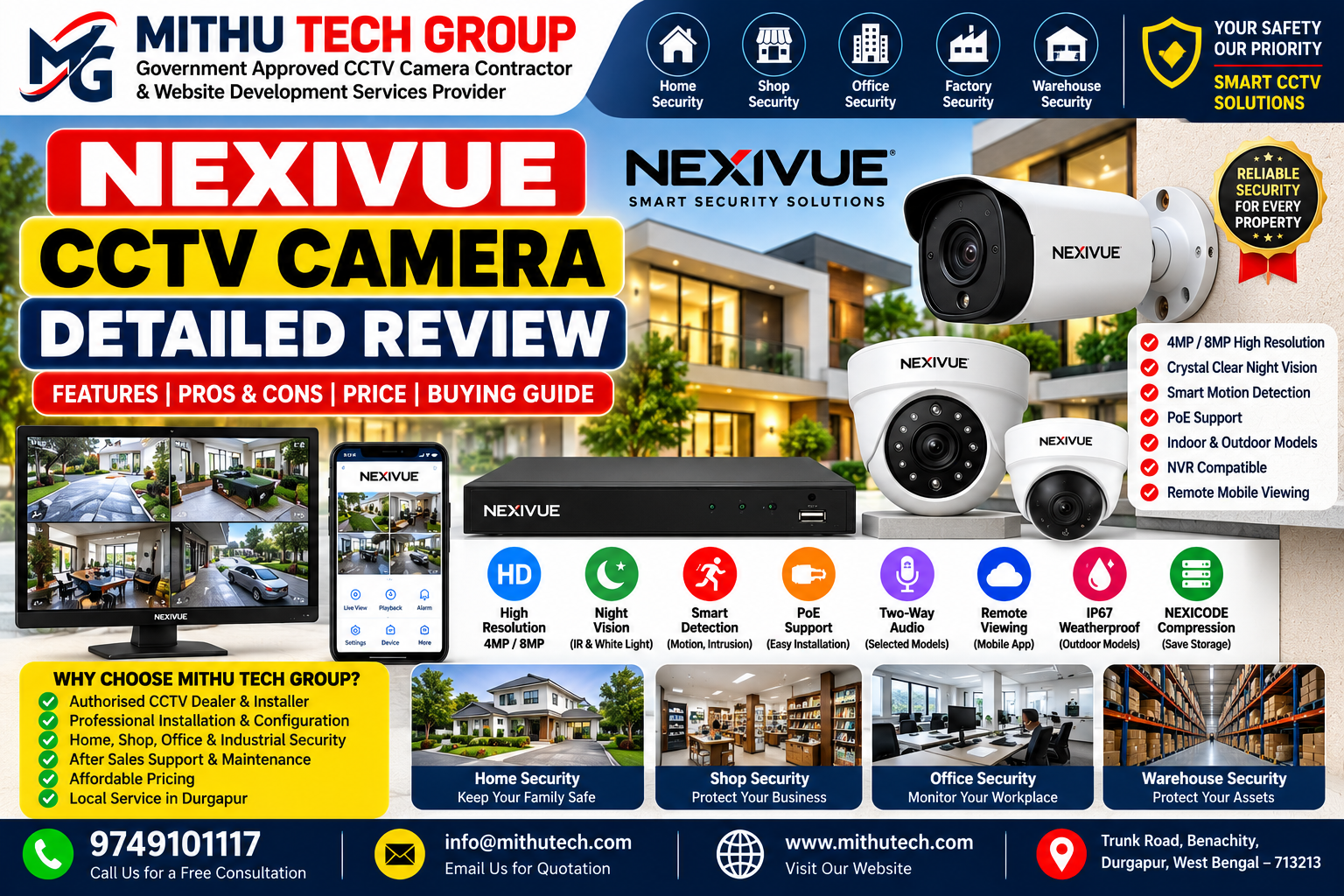
Introduction: Is NEXIVUE CCTV Camera Worth Considering in 2026?
Choosing the right CCTV camera has become an important decision for homeowners, shopkeepers, office managers, warehouse operators and commercial property owners. A reliable surveillance system can help monitor entrances, protect stock, review incidents and improve visibility across important areas of a property.
However, buying a CCTV camera involves more than comparing megapixels or choosing the lowest price. Image quality, night vision, network compatibility, recording capacity, installation requirements, mobile viewing and long-term maintenance all influence the overall performance of a security system.
This is where the NEXIVUE CCTV camera range deserves a closer look.
NEXIVUE offers network surveillance products, including IP bullet cameras, dome cameras, outdoor cameras and compatible network video recorders. Its official product information describes features such as high-resolution imaging, infrared night vision, white-light illumination on selected models, motion detection, Power over Ethernet (PoE), and NEXICODE video compression.
In this detailed NEXIVUE CCTV camera review, we examine what these features mean in practical situations, which specifications buyers should check, how the cameras may suit different properties, and what to consider before purchasing a complete CCTV system.
This article is an independent informational buying guide prepared by Mithu Tech Group. It is not a laboratory test or a claim that every NEXIVUE model performs identically. Actual results depend on the selected model, installation, lighting, network and recording configuration.
If you are searching for a NEXIVUE CCTV camera in Durgapur, West Bengal, this guide will help you ask the right questions before making a purchase.
1. What Is NEXIVUE CCTV Camera?
NEXIVUE is a security equipment brand offering CCTV surveillance products designed for residential and commercial applications.
Its product portfolio includes network cameras and NVR recording equipment. Depending on the model, the range can provide different resolutions, lens options, night-vision technologies, audio capabilities and intelligent detection functions.
An IP CCTV camera converts captured images into digital video and transmits the data over a network. The video can then be viewed or recorded using compatible equipment and supported software.
Unlike a traditional analogue camera connected to a DVR, an IP camera typically communicates over Ethernet or another supported network connection. Some IP camera systems use PoE to deliver both power and data over a single Ethernet cable.
This makes network CCTV useful for installations that need multiple cameras, centralised recording and network-based management.
Why Should Buyers Research the Brand Before Buying?
A CCTV camera is a long-term security purchase. Buyers should understand not only the advertised features but also the equipment’s compatibility, warranty, service availability and installation requirements.
Before choosing a NEXIVUE model, check:
- The exact model number.
- The supported resolution and frame rate.
- Whether the camera supports PoE.
- The specified night-vision range.
- The weather-resistance rating.
- Whether audio recording is supported.
- Compatibility with the intended NVR.
- The official warranty and support arrangements.
- The recording storage requirements.
- The supported mobile or remote-viewing method.
These details are more useful than assuming that every camera from the same brand offers identical functionality.
2. NEXIVUE CCTV Camera Review: Product Range and Main Features
NEXIVUE offers several camera configurations for different surveillance needs. The right choice depends on the property layout and the type of detail required.
NEXIVUE 4MP CCTV Camera
A 4MP camera can provide more image detail than a conventional 1080p camera, depending on its actual resolution, image processing and operating conditions.
For example, the official NEXIVUE 5A4TU-4 DuoVision bullet camera specification lists a 4MP resolution of 2560 × 1440 and a maximum main-stream frame rate of 25 frames per second.
The listed features include:
- 4MP image resolution.
- NEXICODE, H.265 and H.264 compression.
- A 3.6mm lens, with an optional 2.8mm lens.
- Built-in microphone support.
- Day/night switching.
- Infrared illumination rated up to 40 metres.
- Warm-light illumination rated up to 40 metres.
- PoE support.
- IP67 weather resistance.
These are specifications for this particular model, not universal specifications for the entire NEXIVUE range.
A 4MP camera may be appropriate for entrances, shop interiors, office corridors and other areas where a balance between image detail, storage requirements and system cost is important.
Official model information: https://www.nexivuesecurity.com/product-details/5a4tu-4
NEXIVUE 8MP CCTV Camera
An 8MP camera can provide greater spatial detail than a 4MP camera when the lens, lighting, focus, installation and recording configuration support it.
One example is the NEXIVUE 5D8EK-4 DuoVision dome camera.
Its published specifications include:
- 8MP resolution of 3840 × 2160.
- A maximum main-stream frame rate of 20fps at 8MP.
- A 3.6mm lens, with 2.8mm and 6mm options.
- Infrared illumination rated up to 40 metres.
- Warm-light illumination rated up to 30 metres.
- WDR rated at 120dB.
- Built-in microphone and speaker support.
- PoE support.
- IP67 weather resistance.
- MicroSD storage support, with a stated maximum capacity of 1TB.
These capabilities may make the model worth considering for users who require detailed images and suitable event-monitoring functions. However, the actual result still depends on the viewing distance and installation environment.
Official model information: https://www.nexivuesecurity.com/product-details/5d8ek-4d
Bullet Camera vs Dome Camera
Bullet cameras typically have a visible elongated housing and are commonly used for perimeter monitoring, gates, parking areas and outdoor approaches.
Dome cameras have a compact dome-style form factor and can be useful for entrances, covered walkways, shops and other locations where a less prominent appearance is preferred.
The housing style alone does not determine the image quality or suitability of a camera.
When comparing a NEXIVUE bullet camera with a NEXIVUE dome camera, compare the actual resolution, lens, night-vision performance, weather rating, audio support and mounting requirements.
3. NEXIVUE CCTV Camera Picture Quality Review
Picture quality is one of the most important factors in a CCTV camera purchase.
A camera may display a clear overall scene but still fail to capture the details required to identify an object or understand an incident.
Understanding Camera Resolution
Resolution describes the number of pixels in an image.
A 4MP camera generally provides more pixels than a 2MP Full HD camera, while an 8MP camera offers a higher pixel count than a 4MP camera.
However, more pixels do not automatically guarantee better surveillance results.
Picture quality is also affected by:
- Lens quality.
- Sensor performance.
- Available light.
- Camera positioning.
- Focus and exposure.
- Compression settings.
- Network bandwidth.
- The quality of the recorded video.
For example, an 8MP camera positioned too far from a gate may capture a wide view but insufficient detail of a visitor’s face. A correctly positioned 4MP camera with a suitable lens may provide more useful information for that particular purpose.
Which Resolution Should You Choose?
For a small shop or home entrance, 4MP may be a practical starting point.
For areas where additional image detail is important, an 8MP model may be worth evaluating.
For large warehouses, industrial premises or long perimeter views, the lens and mounting position may be just as important as resolution.
Before installation, determine what you need the camera to capture: general activity, faces, vehicle movement, counter activity or another specific event.
Then select the camera based on that objective.
4. NEXIVUE CCTV Night Vision Review
Night vision is essential when a camera must monitor an area after sunset or in poorly lit conditions.
NEXIVUE’s published specifications describe infrared illumination and, on selected models, additional warm-light illumination.
Infrared Night Vision
Infrared illumination allows a compatible camera to capture images in low-light conditions. The camera may switch to monochrome imaging when the available light falls below a certain level.
Infrared is useful for locations where visible white lighting is undesirable or unnecessary.
Examples include boundary walls, warehouse approaches, parking areas and building entrances.
Warm-Light or White-Light Illumination
Some NEXIVUE models include warm-light illumination, which may help provide colour images when the lighting and camera mode support it.
The usefulness of this feature depends on the scene, distance and surrounding light.
Visible illumination may be helpful at an entrance where colour information is valuable, but it may be less desirable in locations where discreet monitoring is preferred.
Does a 40-Metre Night-Vision Rating Guarantee Clear Identification?
No.
A manufacturer’s stated illumination range is not the same as a guarantee that faces or number plates will be clearly identifiable at that distance.
Actual results depend on the camera’s lens, scene conditions, light reflections, object movement and the size of the object in the image.
If night-time identification is a priority, test the camera at the intended mounting height and distance before finalising the installation.
For a shop entrance or residential gate, position the camera to capture useful detail rather than simply covering the largest possible area.
5. NEXIVUE CCTV Camera Compression Technology: What Is NEXICODE?
Video compression reduces the amount of data needed to store or transmit surveillance footage.
NEXIVUE’s product information describes NEXICODE as its optimised video-compression implementation based on H.265-related technology.
The objective is to manage bandwidth and storage more efficiently while maintaining useful image quality.
Why Compression Matters
Imagine a shop with eight cameras recording throughout the day.
If each camera generates a large video stream, the combined system may require substantial network capacity and hard-disk storage.
Compression can help reduce these requirements.
However, the amount of storage saved depends on the scene, camera settings, movement, bitrate and compression implementation.
Do not assume that every installation will achieve the same percentage of savings.
H.264 vs H.265 vs NEXICODE
H.264 is a widely used video-compression standard.
H.265 can offer improved compression efficiency in suitable conditions, although actual savings depend on the implementation and video content.
NEXICODE is a NEXIVUE-branded compression implementation described by the manufacturer as optimising bandwidth and storage requirements.
Before using it, check that the intended NVR and viewing software support the selected encoding mode.
If footage must be viewed or exported through third-party software, compatibility should be verified before deployment.
6. NEXIVUE CCTV Camera PoE Review
Power over Ethernet is one of the useful features available on selected NEXIVUE IP cameras.
PoE allows compatible equipment to deliver power and network data over a single Ethernet cable.
Benefits of PoE
A PoE installation can reduce the need for separate power cables at every camera location.
It can also simplify cable routing and make it easier to centralise power management.
For example, a shop with four compatible IP cameras may use a PoE switch or a compatible PoE NVR to connect the cameras through Ethernet.
This can be a convenient arrangement where cable routes have been planned properly.
What Equipment Is Required?
Depending on the system, you may need:
- PoE-compatible NEXIVUE cameras.
- A compatible PoE switch or PoE-enabled NVR.
- Suitable Ethernet cable.
- A router or network infrastructure.
- A compatible recording device if continuous recording is required.
Confirm the supported PoE standard and power budget before connecting the equipment.
Not every Ethernet switch supplies PoE, and not every camera uses the same power requirements.
A compatible power adapter may be required for models that support a separate DC input.
7. NEXIVUE CCTV Camera NVR Compatibility
An NVR, or Network Video Recorder, stores and manages footage from compatible IP cameras.
NEXIVUE’s recorder range includes different channel capacities and recording specifications.
For example, the official 7A16B-H1 specification describes a 16-channel 4K NVR supporting IP camera input up to 12MP, NEXICODE/H.265/H.264 compression and one SATA drive interface with a stated capacity of up to 16TB.
This does not mean that every 16-channel recorder can record all channels at their maximum advertised resolution and frame rate simultaneously. Incoming bandwidth, recording capability and playback limitations must also be checked.
How to Select an NVR
Consider the following before buying:
Channel count: Choose enough channels for the cameras you currently need, with reasonable scope for expansion.
Resolution support: Confirm that the recorder supports the selected camera resolution.
Bandwidth: Check total incoming bandwidth and recording capability.
Storage: Calculate how much footage needs to be retained.
Compression compatibility: Confirm support for the camera’s selected encoding.
Remote access: Verify the supported mobile and remote-viewing features.
Network ports: Check whether the NVR includes PoE ports or requires a separate PoE switch.
A correctly matched NVR is essential for a reliable multi-camera system.
8. NEXIVUE CCTV Camera Smart Detection Features
Some NEXIVUE cameras and NVRs provide motion detection and more advanced event-detection functions.
Depending on the model, features may include line-crossing detection, intrusion detection, loitering detection and people-gathering detection.
These features can help direct attention towards activity in selected areas.
Motion Detection
Motion detection identifies changes in the image according to the device’s detection settings.
It can be useful for entrances, storage rooms and restricted areas.
However, shadows, moving vegetation, changing light and other scene conditions can trigger unnecessary alerts.
Correct positioning and sensitivity adjustment are important.
Line-Crossing Detection
Where supported, line-crossing detection can identify movement across a virtual line in the camera image.
For example, a business may use this function to monitor movement through a restricted entrance.
The actual detection behaviour depends on the model and its supported settings.
Intrusion Detection
Some models support detection of movement into a defined region.
This may be useful for monitoring selected boundaries or restricted spaces.
Important Limitation
Intelligent detection features should not be treated as infallible security controls.
They can produce false alerts or miss events under certain conditions. Test the features in the actual installation environment and keep recording and monitoring arrangements appropriate to the risk.
9. NEXIVUE CCTV Camera Audio Features
Audio support differs between models.
Some NEXIVUE cameras include a built-in microphone. Selected products also list a built-in speaker or support for external audio equipment.
Audio may be useful for certain monitoring applications, but buyers should confirm exactly what the chosen model supports.
Check whether audio can be recorded by the camera, transmitted through the network and stored by the intended NVR.
Also consider privacy requirements before enabling audio recording. Inform people where required and ensure the installation complies with applicable laws and workplace policies.
Do not assume that every camera advertised as supporting audio offers two-way communication.
10. NEXIVUE CCTV Camera Build Quality and Weather Resistance
Outdoor CCTV cameras must operate under conditions that differ from indoor installations.
Rain, dust, heat, moisture and direct sunlight can affect equipment over time.
Some NEXIVUE models have an IP66 or IP67 rating, while others may have different specifications.
Understanding IP Ratings
An IP rating describes the enclosure’s protection against specified ingress conditions.
It does not automatically guarantee that a camera will survive every installation mistake or environmental condition.
For an outdoor installation, check the rating of the exact model and follow the manufacturer’s mounting and sealing instructions.
Use suitable cable glands, junction boxes and connectors where required.
Avoid exposing connectors to moisture simply because the camera housing itself has a weather-resistance rating.
A qualified installer should also consider drainage, cable entry points, lightning exposure and appropriate surge protection.
11. NEXIVUE CCTV Camera Price in India: What Should You Expect?
One of the most common buying questions is the NEXIVUE CCTV camera price in India.
The final cost depends on the exact camera model, resolution, lens, audio capabilities, illumination features, recording equipment and supplier.
Additional costs may include:
- NVR or DVR equipment, depending on the system.
- Hard-disk storage.
- PoE switches.
- Ethernet cable and accessories.
- Junction boxes and mounting materials.
- Installation labour.
- Network configuration.
- Mobile-viewing setup.
- Maintenance and after-sales support.
Rather than choosing a camera based only on its purchase price, compare the total cost of the complete installation.
A lower-cost camera may not be the most economical option if it does not meet your image-quality, storage or compatibility requirements.
Similarly, an expensive camera is not automatically the best choice for every location.
How to Request an Accurate Quotation
When requesting a NEXIVUE CCTV quotation, provide:
- The property type.
- The number of cameras required.
- The approximate camera locations.
- The expected viewing distance.
- Whether indoor or outdoor monitoring is needed.
- The required recording duration.
- Whether remote viewing is necessary.
- Whether an NVR or storage system is already available.
These details help the installer recommend suitable equipment rather than making assumptions.
For current model availability, warranty terms and pricing, contact an authorised supplier or the manufacturer’s listed sales channel.
12. Advantages of NEXIVUE CCTV Cameras
Based on the published features of selected models, NEXIVUE offers several capabilities worth evaluating.
Multiple Resolution Options
The product range includes cameras with different resolution specifications, allowing buyers to compare image-detail requirements and storage budgets.
PoE Support on Selected Models
PoE can simplify the physical installation when compatible power and network equipment are used.
Night-Vision Options
Selected models offer infrared illumination, while some include warm-light illumination for supported low-light modes.
Network-Based Recording
Compatible IP cameras can be integrated into supported NVR-based surveillance systems.
Video Compression Options
NEXICODE, H.265 and H.264 are listed on selected products, providing options for video storage and transmission.
Smart Detection on Selected Equipment
Some camera and recorder models provide motion or event-detection functions that may improve monitoring workflows.
Outdoor Models
Models with suitable ingress-protection ratings can be considered for outdoor installations when mounted and sealed according to the manufacturer’s instructions.
13. Potential Limitations and Things to Check Before Buying
A useful NEXIVUE CCTV camera review should also discuss issues buyers need to investigate.
Model Differences
Features vary across the product range. A feature listed on an 8MP camera should not be assumed to exist on a 4MP camera.
Compatibility
The camera, NVR, encoding mode and remote-viewing software must work together correctly.
Installation Quality
Even a capable camera may produce poor results if the lens is unsuitable, the camera is mounted incorrectly or the lighting is inadequate.
Storage Requirements
Higher resolution and continuous recording may require additional storage.
Network Requirements
Multi-camera systems require sufficient switching capacity, network bandwidth and suitable remote-viewing connectivity.
Service and Warranty
Check the written warranty, support arrangements, replacement policy and local service availability before purchase.
No Universal Performance Guarantee
Advertised illumination distances and compression savings are not guarantees of identical real-world performance in every installation.
A sensible purchase decision should be based on the actual model specification and a practical assessment of the property.
14. NEXIVUE CCTV Camera vs Other IP CCTV Cameras
When comparing NEXIVUE with other CCTV brands, use a consistent set of criteria.
| Comparison factor | What to evaluate |
|---|---|
| Resolution | Supported resolution and frame rate |
| Lens | Field of view and suitability for the target |
| Night vision | Illumination type and actual scene performance |
| Compression | Supported codecs and NVR compatibility |
| PoE | Supported power standard and switch requirements |
| Weather resistance | Exact model’s IP rating |
| Audio | Built-in microphone, speaker and recording support |
| Smart detection | Available detection types and reliability |
| Recording | NVR support, storage and retention |
| Warranty | Written terms and support availability |
| Total cost | Camera, recording equipment, cabling and installation |
A meaningful comparison should use products in a similar price and performance category.
Do not compare an entry-level indoor camera with a high-resolution outdoor camera and draw conclusions from resolution alone.
For homeowners and small businesses, the best choice is the system that meets the surveillance requirement reliably while remaining practical to operate and maintain.
15. Is NEXIVUE CCTV Suitable for Home Security?
NEXIVUE cameras may be suitable for residential surveillance when the selected model matches the property layout and security objectives.
A typical home installation may include cameras at the main entrance, parking area, boundary gate and other appropriate access points.
What Homeowners Should Consider
First, identify the areas that need monitoring.
Next, choose a lens and mounting position that provide useful detail without creating unnecessary blind spots.
If night-time activity is important, test the camera’s low-light performance.
For remote viewing, confirm that the camera or NVR supports the intended mobile-access method.
Finally, decide how much footage needs to be retained and select the storage accordingly.
Homeowners should also respect neighbours’ privacy and avoid recording areas where people reasonably expect privacy.
16. Is NEXIVUE CCTV Suitable for Shops and Offices?
Retail and office installations often need to balance coverage, image quality and recording requirements.
For a shop, cameras may be required at entrances, billing counters, stockrooms and delivery points.
For an office, the focus may be on reception areas, access points and shared corridors.
A useful configuration should answer a practical question: what information must the footage provide if an incident occurs?
For example, a wide-angle camera can cover a large counter area, but the mounting position may need adjustment if identifying transaction activity is important.
For office installations, restrict access to recordings and configure user permissions appropriately.
Businesses should also consider applicable workplace privacy requirements.
17. Is NEXIVUE CCTV Suitable for Warehouses and Commercial Properties?
Large commercial properties require more planning than a small residential installation.
Warehouses may have long aisles, loading bays, outdoor storage areas and vehicle access points.
The camera selection should account for mounting height, viewing distance, lighting and the type of activity that needs to be captured.
Planning a Multi-Camera Installation
Create a simple camera-location plan before buying equipment.
Mark the entrances, exits, restricted areas and other important locations.
Estimate the number of cameras and determine whether a centralised NVR is required.
Calculate network bandwidth and recording storage requirements.
Check cable routes and ensure the selected equipment is suitable for the environment.
For large projects, a professional site survey can help reduce blind spots and prevent unnecessary equipment purchases.
18. NEXIVUE CCTV Installation and Configuration: What Matters Most?
Correct installation is as important as the camera specification.
The process normally includes selecting the location, mounting the camera, routing the cable, connecting compatible power and network equipment, configuring the device and testing the final image.
Camera Placement
Position cameras to capture the areas that matter most.
Avoid placing a camera where direct sunlight or reflective surfaces regularly interfere with the image.
Cable Management
Use suitable cabling and secure it against damage.
Outdoor connections should be protected according to the manufacturer’s instructions.
Network Setup
Configure the network and camera addressing correctly.
Confirm that the NVR can communicate with the cameras.
Recording Setup
Select the recording schedule and verify that the storage device is working.
Final Testing
Test daytime and night-time views, review recorded footage and check remote access if it is part of the installation.
For a more detailed installation guide, visit CCTV Camera Installation in Durgapur.
19. How Much Storage Does a NEXIVUE CCTV System Need?
Storage requirements depend on camera resolution, bitrate, recording hours, number of cameras and the desired retention period.
A simple estimate can help with initial planning.
Approximate daily storage in GB = average bitrate in Mbps × 10.8 × recording hours ÷ 24
For example, a camera averaging 4 Mbps during continuous recording uses approximately 43.2 GB per day before additional overhead and variations.
Four cameras recording under the same conditions would require approximately 172.8 GB per day.
For seven days, the estimate would be about 1.21 TB before allowing for additional capacity.
Actual storage use can vary considerably with scene movement, compression and recording settings.
Before choosing a hard disk, confirm the NVR’s supported drive capacity and recording specifications.
20. How to Maintain a NEXIVUE CCTV Camera
Regular maintenance helps keep the surveillance system operating as expected.
Clean the Camera Lens
Dust and dirt can reduce image clarity, particularly at night.
Use a suitable cleaning method recommended by the manufacturer.
Inspect the Cabling
Check accessible cables and connectors for visible damage or moisture.
Investigate recurring connection failures rather than repeatedly reconnecting the same faulty cable.
Review Recording Status
Periodically confirm that footage is being recorded and can be played back.
A live image alone does not prove that recording is working.
Check Time and Date
Incorrect timestamps can make footage difficult to search.
Confirm that the camera and recorder maintain the correct time.
Update Firmware Carefully
Check for official updates for the exact model.
Follow the manufacturer’s procedure and avoid unofficial firmware.
Review User Access
Remove accounts that are no longer needed and keep administrator credentials secure.
Test Night Vision
Inspect the camera after dark to identify lighting problems, infrared reflections or changes in image quality.
21. Who Should Consider Buying a NEXIVUE CCTV Camera?
A NEXIVUE camera may be worth evaluating if you need a network-based surveillance solution and a particular model offers the resolution, recording compatibility and features required for your property.
Potential users include:
- Homeowners monitoring entrances and parking areas.
- Retailers monitoring shops and billing counters.
- Offices monitoring authorised common areas.
- Warehouses monitoring stock and loading zones.
- Property managers overseeing common areas.
- Businesses seeking a compatible IP camera and NVR system.
However, the final decision should depend on the exact product, not the brand name alone.
Compare the camera with competing products, confirm the warranty and verify that the complete system meets your requirements.
22. Why Choose Mithu Tech Group for CCTV Services in Durgapur?
Selecting a CCTV camera is only the first step. A dependable surveillance installation also requires correct placement, suitable cabling, compatible recording equipment and proper configuration.
Mithu Tech Group offers CCTV-related services in Durgapur and surrounding areas.
Depending on the project, the team can assist with:
- CCTV camera sales and installation.
- IP CCTV camera configuration.
- NVR and network setup.
- PoE switch installation.
- Recording and storage configuration.
- Compatible mobile-viewing setup.
- CCTV troubleshooting and maintenance.
The recommended configuration depends on the property, existing network, camera model and security objectives.
Contact Details
Mithu Tech Group
CCTV Camera Sales, Installation and Configuration Services
- Website: https://mithutech.com/
- Phone: +91 97491 01117
- Email: info@mithutech.com
- Address: Trunk Road, Benachity, Durgapur, West Bengal, India – 713213
Contact Mithu Tech Group to discuss your surveillance requirements and obtain a quotation based on the equipment and installation work required.
23. Frequently Asked Questions About NEXIVUE CCTV Cameras
Q1. Is NEXIVUE a good CCTV camera brand?
NEXIVUE offers a range of network cameras and NVR equipment with different specifications. Whether a particular model is suitable depends on its image quality, features, compatibility, warranty and performance in the intended environment.
Q2. What is the price of a NEXIVUE CCTV camera in India?
Pricing varies by model, resolution, features, seller and package contents. Obtain a current quotation for the exact model and compare the complete installation cost.
Q3. Is NEXIVUE available in 4MP and 8MP?
The manufacturer’s published product information includes selected 4MP and 8MP camera models. Confirm availability and specifications before ordering.
Q4. Does NEXIVUE support night vision?
Selected models support infrared night vision. Some models also list warm-light illumination. The exact illumination range and capabilities depend on the camera.
Q5. Does NEXIVUE support PoE?
PoE is listed for selected NEXIVUE IP camera models. Confirm the power standard and requirements of the exact camera and switch.
Q6. Can NEXIVUE cameras connect to an NVR?
Compatible NEXIVUE IP cameras can be used with suitable NVR equipment. Check the recorder’s channel capacity, supported resolution, bandwidth and encoding compatibility.
Q7. What is NEXICODE compression?
NEXICODE is NEXIVUE’s branded video-compression implementation, described by the manufacturer as optimising bandwidth and storage requirements. Actual results depend on the scene and system settings.
Q8. Can I view NEXIVUE CCTV footage on my phone?
Remote viewing depends on the camera or NVR model and its supported software. Follow the official setup instructions and secure the associated account.
Q9. Are all NEXIVUE cameras waterproof?
No universal claim should be made for the entire range. Check the exact model’s ingress-protection rating and installation requirements.
Q10. Is a NEXIVUE 8MP camera better than a 4MP camera?
An 8MP camera provides a higher pixel count, but the better choice depends on the viewing distance, lens, lighting, storage and intended purpose.
Q11. Does NEXIVUE support audio recording?
Some models list built-in microphone or speaker features. Others may have different audio capabilities. Confirm the exact specifications and applicable privacy requirements.
Q12. How long can NEXIVUE CCTV footage be stored?
Retention depends on storage capacity, camera count, bitrate and recording schedule. Calculate the expected daily storage use and select a compatible recording drive.
Q13. Where can I get NEXIVUE CCTV installation in Durgapur?
You can contact Mithu Tech Group at +91 97491 01117 or visit https://mithutech.com/ to discuss CCTV installation and configuration requirements.
24. Related Articles and Internal Links
To help visitors explore related information, link this article to relevant CCTV pages on MithuTech.com.
- CCTV Camera Installation in Durgapur: Complete Guide
- How to Configure an IP CCTV Camera
- Home CCTV Camera Installation in Durgapur
- Office CCTV Camera Installation in Durgapur
- Apartment CCTV Camera Installation in Durgapur
- Mithu Tech Group CCTV Security Services
These URLs should be checked before publishing to confirm that each page is live and relevant. If a URL redirects, returns an error or no longer matches the intended topic, replace it with the current page URL.
25. External Links and Official Resources
The following resources can help readers verify product information and understand relevant technical concepts.
- NEXIVUE Official Website: https://www.nexivuesecurity.com/
- NEXIVUE 4MP DuoVision Bullet Camera: https://www.nexivuesecurity.com/product-details/5a4tu-4
- NEXIVUE 8MP DuoVision Dome Camera: https://www.nexivuesecurity.com/product-details/5d8ek-4d
- NEXIVUE Official FAQs: https://www.nexivuesecurity.com/faqs
- ONVIF: https://www.onvif.org/
- CERT-In: https://www.cert-in.org.in/
- Durgapur Property: https://www.durgapurproperty.com/
Durgapur Property is a related real-estate website. It can be linked contextually in a section discussing residential and commercial property security, but it should not be presented as a CCTV manufacturer or technical authority.
Conclusion: Is NEXIVUE CCTV Camera Worth Considering?
NEXIVUE CCTV cameras offer a range of specifications worth evaluating for home, retail, office and commercial surveillance.
Selected models provide 4MP or 8MP imaging, PoE, night-vision options, audio features, intelligent detection and weather-resistant housings. The available functions vary by model, so buyers should review the exact specification sheet before making a decision.
The most important factors are the camera’s intended purpose, required image detail, night-time performance, network compatibility, recording capacity and after-sales support.
A carefully planned system will usually provide more useful results than choosing equipment based only on megapixels or advertised illumination distance.
If you are planning a CCTV installation in Durgapur, Mithu Tech Group can help you discuss camera placement, compatible equipment, configuration and recording requirements.
Contact Mithu Tech Group: +91 97491 01117
Website: https://mithutech.com/
Choose the right camera for your actual security needs, verify the product specifications and test the complete system after installation.
Editorial note: This article is an original informational review written for Mithu Tech Group. Product specifications are attributed to the manufacturer’s published information. The article does not claim independent laboratory testing, verified customer ratings or a guaranteed ranking in search engines.