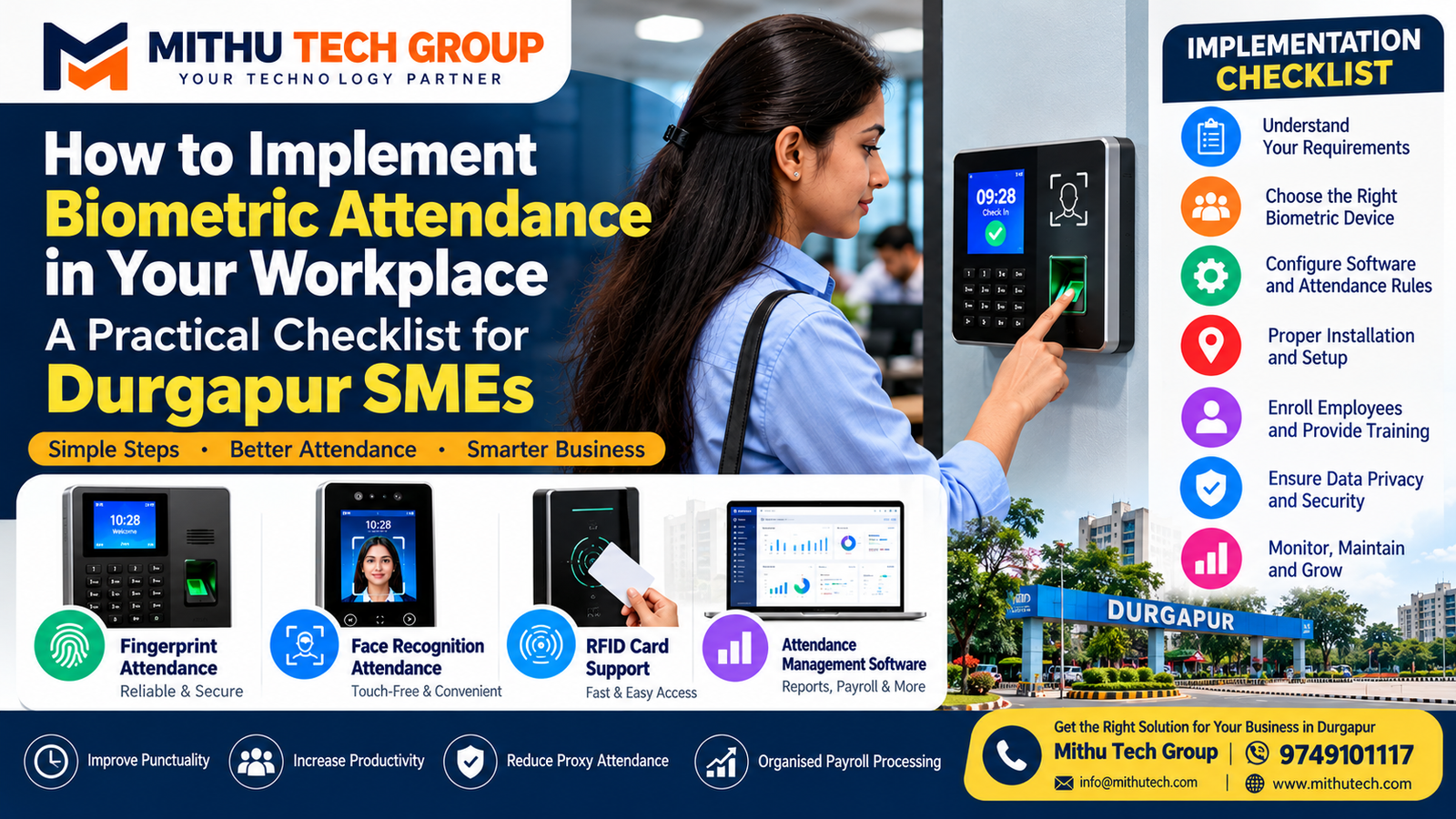
Published by: Mithu Tech Group
How to Implement Biometric Attendance: Managing employees efficiently is one of the most important responsibilities of a business owner. Whether you run a retail shop in Benachity, a professional office in City Centre, a manufacturing unit near Rajbandh or a warehouse serving the Durgapur industrial region, accurate attendance records help you organise daily operations, manage shifts and prepare payroll information.
Many small and medium-sized enterprises (SMEs) still use paper registers, spreadsheets or messaging applications to record employee attendance. Although these methods may work for a small team, they can become difficult to manage as the business expands. Missing entries, forgotten check-outs, proxy attendance and manual calculations can consume time that should be spent serving customers and growing the business.
A biometric attendance system offers a more structured way to manage employee attendance. It can use fingerprint recognition or facial recognition to verify an employee and record the time of an attendance event. When connected to suitable attendance management software, it can also help generate reports, manage shifts and prepare information for payroll.
However, buying a biometric machine is only the first step. Successful implementation requires careful planning, appropriate hardware, employee communication, reliable software, data protection and a clear process for handling errors.
This practical guide from Mithu Tech Group explains how Durgapur SMEs can plan, install and manage a biometric attendance system in 2026.
1. What Is a Biometric Attendance System?
A biometric attendance system records employee attendance after verifying a person’s identity through a physical characteristic.
The most common technologies used in workplace attendance include fingerprint recognition and facial recognition.
A fingerprint attendance machine scans a registered finger and compares the presented fingerprint data with an enrolled template. If verification succeeds, the system records the attendance event.
A facial recognition attendance machine uses a camera and recognition software to compare a person’s face with previously enrolled biometric data.
Depending on the device and software, a biometric attendance system may provide:
- Employee check-in and check-out records.
- Daily and monthly attendance reports.
- Late-arrival and early-departure reports.
- Shift scheduling.
- Working-hour calculations.
- Leave and holiday management.
- Overtime records, where supported.
- Data exports for payroll.
- Centralised reporting across multiple locations.
Not every device supports all these features. Some machines primarily record attendance, while more advanced systems provide additional workforce-management capabilities.
For a small business, the objective should be to choose a system that solves a genuine operational problem without adding unnecessary expense or complexity.
2. Why Durgapur SMEs Should Consider Biometric Attendance
Businesses across Durgapur operate in different environments, including retail, professional services, manufacturing, logistics, education and construction.
Each business has its own attendance challenges.
A retail shop may need to manage employees working different shifts. An office may require accurate monthly reports. A warehouse may need to record attendance for employees arriving before an early-morning shift. A factory may need a more structured system for a larger workforce.
A biometric attendance system can help address several of these requirements.
Reduce manual attendance administration
Instead of reviewing handwritten registers every day, authorised managers can use attendance software to review recorded check-ins and check-outs.
Improve visibility into working hours
The system can help managers identify late arrivals, early departures and missing attendance entries.
Make payroll preparation more organised
Attendance reports can provide information needed to prepare salary calculations. Payroll staff must still account for approved leave, holidays, overtime rules, deductions and other applicable policies.
Reduce casual proxy attendance
Fingerprint and facial recognition systems can make it more difficult for one employee to record attendance on behalf of another.
However, biometric verification is not infallible. Device quality, enrolment, configuration and presentation-attack protection all influence reliability.
Support growing teams
Businesses can choose software that supports additional employees, departments or branches as operations expand.
Improve recordkeeping
Digital attendance records can be easier to search, review and export than handwritten registers, provided the system is configured correctly and backups are maintained.
The value of biometric attendance ultimately depends on how well it fits the business’s actual working practices.
3. Step One: Assess Your Business Requirements Before Buying
The most common implementation mistake is purchasing a machine before identifying the requirements it must satisfy.
Before contacting suppliers, prepare a short requirements document.
Count your employees
Record how many employees need to use the system.
For example, a shop with eight employees may need only one attendance terminal, while a factory with several departments may require multiple devices.
Consider expected growth as well. If you plan to increase your workforce, select a system with suitable capacity.
Identify your workplace type
Different environments require different hardware.
- Retail shops: Simple check-in, reliable reports and convenient operation.
- Offices: Shift rules, late-arrival reports and payroll exports.
- Factories: Reliable verification under potentially dusty or demanding conditions.
- Warehouses: Suitable placement, network reliability and support for shift changes.
- Multi-branch businesses: Centralised attendance reporting and controlled administrative access.
Document working schedules
Write down the official start and finish times, breaks, weekly holidays and overtime policies.
If employees work rotating shifts or overnight schedules, verify that the software can handle them correctly.
Define your reporting requirements
Decide whether you need daily attendance sheets, monthly summaries, department-wise reports, overtime records or integration with existing payroll software.
A system that cannot produce the reports you need may create additional manual work even after installation.
Practical tip: Do not pay for advanced HR features unless your business genuinely needs them. A simple, dependable attendance solution can be more useful than an expensive system with complicated functions.
4. Step Two: Choose the Right Biometric Technology
Fingerprint and facial recognition systems are the two main biometric options commonly considered by small businesses.
Fingerprint attendance machine
Fingerprint devices are often suitable for offices and retail environments where employees can use the sensor reliably.
Advantages may include:
- Familiar check-in procedures.
- Straightforward employee enrolment.
- Availability of different device capacities.
- Integration with attendance software on supported models.
Potential limitations include poor recognition when fingers are wet, dirty, damaged or difficult for the sensor to read.
Businesses employing people who regularly handle construction materials, machinery, oils or other substances should test fingerprint devices with representative employees before purchase.
Face recognition attendance machine
Face recognition devices verify employees through facial characteristics.
Potential advantages include touch-free check-in and convenient operation when several employees arrive together.
However, performance depends on lighting, camera positioning, recognition quality and the device’s ability to resist presentation attacks.
Ask suppliers about liveness detection or anti-spoofing features, and test the device in the actual lighting conditions at your workplace.
Hybrid attendance machines
Some devices combine fingerprint recognition, face recognition, RFID cards or PIN entry.
A hybrid device may be helpful when one verification method does not work reliably for every employee.
However, verify which methods are supported by the exact model. Do not assume that every attendance terminal supports every combination.
| Workplace requirement | Option to consider |
|---|---|
| Small office with a straightforward schedule | Fingerprint attendance |
| Touch-free check-in preference | Face recognition |
| Employees with difficult-to-read fingerprints | Face recognition or a suitable hybrid system |
| Different working conditions across departments | Hybrid attendance |
| Multiple branches requiring centralised reports | Compatible networked system and central software |
The best choice is the one that balances reliability, convenience, cost and the needs of your employees.
5. Step Three: Select the Right Attendance Machine Capacity
A device’s employee capacity is an important specification, but it should not be the only factor in your purchasing decision.
Check the following separately:
- Maximum number of registered employees.
- Fingerprint template capacity.
- Face template capacity.
- Attendance transaction storage.
- Number of supported departments.
- Number of connected terminals.
- Software user or device limits.
For example, a device may support a certain number of employees but have a separate limit for stored attendance transactions.
If the business has several shifts, the machine must also be capable of handling the expected daily volume of check-in and check-out events.
For multi-location businesses, confirm whether the software can consolidate records from different devices.
Ask the supplier to demonstrate the reporting process with sample data before making a purchase.
6. Step Four: Choose Attendance Software Carefully
The attendance machine records verification events, but software determines how those events become useful management information.
Some devices include basic attendance software. Others require a separate licence or subscription.
Before buying, confirm the following features.
Daily and monthly attendance reports
The software should provide reports that match your attendance policy and payroll process.
Shift management
Check support for different shifts, overnight schedules, weekly offs and approved holidays.
Late-arrival calculations
Confirm whether the software supports your grace period and late-arrival rules.
Missing-punch corrections
Employees sometimes forget to check out or experience device failures. The software should support an authorised process for correcting genuine errors.
Payroll exports
Verify whether attendance data can be exported to Excel, CSV or your existing payroll platform.
Do not assume that the machine automatically calculates every component of an employee’s salary.
Administrator permissions
Where supported, assign different permissions to owners, HR staff and supervisors.
Backup and recovery
Understand how attendance records are backed up and restored after a computer or device failure.
Software costs
Ask whether the price includes a perpetual licence, a subscription or a limited version with optional paid features.
A suitable software platform can be more important to long-term efficiency than the appearance of the attendance machine itself.
7. Step Five: Plan the Installation Location
Even a good attendance machine can become inconvenient if it is installed in the wrong place.
Choose a location where employees can check in safely without creating congestion or interfering with normal business operations.
Consider these factors:
Accessibility: Employees should be able to reach the machine easily before their shift.
Power: Confirm that a suitable power supply is available and protected.
Network: If the machine connects to attendance software over a network, check connectivity and cable-routing requirements.
Lighting: Face recognition devices need appropriate lighting for reliable operation.
Environmental conditions: Avoid locations exposed to rain, excessive dust or physical damage unless the device is rated for those conditions.
Queue management: Estimate how many employees will arrive at the same time. A busy entrance may require a faster device or more than one terminal.
Security: Restrict access to the machine’s administration functions.
For many small offices, a designated employee entrance or reception area may be suitable. Factories and warehouses may require a more carefully planned location.
8. Step Six: Prepare Employee Records Before Enrolment
Before registering employees, prepare an accurate employee list.
Useful information may include:
- Unique employee ID.
- Employee name.
- Department or team.
- Assigned shift.
- Employment status.
- Relevant reporting group.
Collect only the information needed for the attendance purpose.
Check employee IDs and names carefully because mistakes at this stage can affect reports and payroll processing later.
For fingerprint enrolment, follow the manufacturer’s instructions and ensure that the sensor is clean.
For face recognition, enrol employees using the supported procedure and appropriate conditions.
Avoid creating duplicate employee records or assigning the same identifier to multiple employees.
If an employee cannot enrol successfully, investigate the problem rather than assuming that the employee is unwilling to cooperate.
9. Step Seven: Configure Attendance Rules Correctly
The machine cannot determine your complete attendance policy automatically.
The business must decide how it handles working hours, late arrivals, overtime and other situations.
Before the system goes live, document and configure the following where supported:
- Official shift start and finish times.
- Grace periods.
- Break schedules.
- Weekly holidays.
- Public holidays.
- Approved leave.
- Overtime approval.
- Night-shift handling.
- Half-day rules.
- Missing-punch corrections.
- Manual attendance adjustments.
Consider an employee whose shift begins at 9:00 AM but who forgets to record attendance until 9:10 AM.
The system can record the event, but the business must determine how its documented attendance policy applies.
Similarly, an overnight shift may cross midnight. Verify that the software calculates the shift correctly instead of incorrectly treating the second part of the shift as a separate workday.
Best practice: Have the owner or HR manager approve the rules before configuring the software. This reduces the risk of disputes after implementation.
10. Step Eight: Protect Employee Biometric Data
Biometric attendance introduces privacy responsibilities because fingerprint and facial information relates to identifiable individuals.
The system should be selected and configured with data protection in mind.
India’s Digital Personal Data Protection Act, 2023 and the Digital Personal Data Protection Rules, 2025 are important references for organisations handling digital personal data. The Rules contain phased commencement provisions, so businesses should check which requirements apply at the relevant time. <Link url=”https://www.meity.gov.in/documents/act-and-policies/digital-personal-data-protection-rules-2025-gDOxUjMtQWa” title=”Read the official DPDP Rules, 2025 information from MeitY”/>.
Explain the purpose of collection
Provide employees with clear information about why biometric data is collected and how attendance information will be used.
Restrict access
Only authorised personnel should be able to enrol employees, view detailed records, export data or change attendance entries.
Protect stored information
Ask the supplier how biometric templates and attendance records are stored, transferred, backed up and deleted.
Prefer systems with appropriate security controls and avoid storing unnecessary information.
Establish retention policies
Determine how long attendance records need to be retained for legitimate business purposes and applicable obligations.
Provide an alternative for genuine failures
A failed fingerprint or facial scan should not automatically be treated as proof that an employee is absent.
Create an authorised fallback procedure for device failures, enrolment problems or employees who cannot reliably use the chosen method.
Avoid unnecessary Aadhaar collection
A regular biometric attendance machine is not automatically an Aadhaar authentication device. Do not collect Aadhaar numbers or claim Aadhaar authentication capability unless there is a separately established lawful basis and the relevant requirements have been verified.
For legal questions specific to your business, seek advice from a qualified professional.
11. Step Nine: Secure the Device and Network
Attendance records are valuable business information and should not be left exposed.
During installation, review the following security measures:
- Change default administrator passwords.
- Use strong, unique credentials.
- Restrict administrative access.
- Install supported firmware updates.
- Protect the network connection.
- Disable unnecessary accounts and services.
- Back up important attendance records.
- Document recovery procedures.
- Review access permissions periodically.
- Keep attendance devices physically secure.
For networked devices, confirm whether the system stores records locally, synchronises them with a computer or uses a cloud platform.
If cloud software is used, review the provider’s security practices, contract terms, access controls, backup arrangements and data-export options.
An attendance device should not be connected to a network without understanding how it will be administered and maintained.
12. Step Ten: Test the System Before Launch
Never assume that a machine is ready for everyday use simply because it powers on and recognises a few employees.
Run a pilot with a small group first.
Test normal check-in and check-out, shift changes, failed verification, duplicate punches and missing attendance events.
Check whether reports correctly reflect late arrivals, weekly holidays, overnight shifts and authorised leave.
If the system integrates with payroll software, test the export and verify that employee identifiers and attendance totals match the source records.
Ask several employees to use the device under normal working conditions.
For face recognition, test different lighting conditions. For fingerprint systems, test the device with employees whose fingerprints may be difficult to read.
Record problems, correct the configuration and repeat the test before rolling out the system to everyone.
A pilot reduces the risk of errors affecting the entire workforce.
13. Step Eleven: Train Employees and Managers
Employees should understand how the system works before it becomes the official attendance method.
Provide clear instructions covering:
- How to check in.
- How to check out.
- What to do if verification fails.
- How to report a missing punch.
- How to request an attendance correction.
- Whom to contact when the machine is unavailable.
- How their attendance information will be used.
Managers also need training.
They should know how to review reports, approve corrections, protect administrator accounts and resolve disputes consistently.
Do not allow unrestricted editing of attendance records. Where possible, use an approval process and maintain a record of important changes.
Clear training helps employees understand that the system is intended to maintain reliable records, not to create unnecessary confusion.
14. Step Twelve: Monitor the First Month
The first month is particularly important because it reveals whether the system works well under real operating conditions.
Review the following regularly:
- Employees unable to enrol.
- Repeated verification failures.
- Missing check-outs.
- Incorrect shift assignments.
- Duplicate attendance events.
- Incorrect timestamps.
- Network or synchronisation failures.
- Differences between attendance reports and payroll records.
Investigate recurring issues rather than repeatedly correcting the same symptoms.
For example, if several employees experience fingerprint failures, check sensor cleanliness, enrolment quality and whether the chosen technology is appropriate for their work.
If overnight shifts are recorded incorrectly, review the software’s shift configuration.
At the end of the first month, document what worked, what needs adjustment and who is responsible for ongoing maintenance.
16. Example: Implementing Attendance in a Small Durgapur Office
Consider a hypothetical office with 18 employees, one location and a standard daytime schedule.
The owner wants to reduce manual attendance work and prepare monthly attendance reports more efficiently.
The business first documents its working hours and attendance rules. It then compares fingerprint and face recognition devices that can support the current workforce.
After reviewing software compatibility and costs, the owner chooses a suitable device and confirms the installation requirements.
Employees are registered using unique IDs, the device is configured, and a pilot is conducted with several staff members.
The administrator checks whether the system records the correct timestamps, handles missed punches and generates the required reports.
Once the pilot succeeds, the business trains the remaining employees and begins using the system.
During the first month, the owner reviews attendance reports regularly and corrects configuration issues.
This example illustrates a practical process. It is not a claim about a completed customer installation or a measured reduction in administrative costs.
The same principles can be adapted for retail shops, warehouses, factories and businesses with multiple branches.
17. How to Choose an Attendance System Supplier
A reliable supplier should explain the device’s capabilities and demonstrate how the complete system works.
Before placing an order, ask:
- What is the exact model number?
- How many employees can be registered?
- How many attendance transactions can be stored?
- Does the device work without an internet connection?
- Is attendance software included?
- Are there subscription charges?
- Can it handle multiple shifts?
- Can reports be exported for payroll?
- How are biometric templates protected?
- What warranty applies?
- Who provides technical support?
- What is included in the installation charge?
- Can the system be expanded later?
- How can attendance records be exported when changing systems?
Ask for written confirmation of important specifications and charges.
A demonstration should cover employee enrolment, check-in, reporting, corrections and data export, rather than simply showing the machine’s display.
18. Common Implementation Mistakes to Avoid
Buying a machine before defining requirements
Start with employee numbers, attendance rules and reporting needs.
Ignoring software limitations
A machine may record punches correctly but still fail to support your shift or payroll workflow.
Skipping the pilot
Testing with real users helps identify problems before they affect everyone.
Assuming biometrics never fail
Maintain an alternative attendance process for genuine technical problems.
Ignoring data privacy
Explain why biometric information is collected, protect it and restrict access.
Failing to train employees
Employees need to understand the procedure and know how to report errors.
Forgetting backups
Maintain appropriate backups so attendance records can be recovered after a device or computer failure.
Choosing the cheapest system without checking support
Warranty terms, software costs and technical support can significantly affect long-term value.
19. Frequently Asked Questions
What is the best biometric attendance system for an SME?
The best system depends on employee count, working conditions, reporting requirements, budget and software compatibility. Compare fingerprint and face recognition devices before choosing.
Can biometric attendance work without the internet?
Some devices record attendance locally and synchronise data later. Confirm offline functionality and transaction capacity for the exact model.
Can biometric attendance software calculate salaries?
It can provide attendance information for payroll. Salary calculations may require additional rules for leave, holidays, overtime, deductions and other employment conditions.
Is face recognition better than fingerprint attendance?
Neither is universally better. Face recognition offers touch-free operation, while fingerprint systems may be suitable for many offices and shops. Test both under actual workplace conditions.
How many employees can one attendance machine support?
Capacity varies by device. Check employee enrolment limits, biometric template capacity and attendance transaction storage separately.
Can multiple attendance machines connect to one software platform?
Many systems support multiple devices, but the exact capability depends on the hardware, software licence and network configuration.
What happens if an employee’s fingerprint cannot be read?
Investigate enrolment quality and sensor performance, then use an approved alternative attendance procedure if necessary.
Does a biometric attendance machine need CCTV?
No. Attendance and CCTV systems have different purposes. CCTV may be used separately for appropriate workplace surveillance, subject to applicable privacy and legal requirements.
How long does installation take?
The time depends on the device, employee count, network requirements, software setup and complexity of attendance rules. Obtain a project timeline from the supplier after the requirements are assessed.
Is biometric attendance mandatory for all businesses in India?
Do not assume that every business is legally required to use biometrics. Assess your operational requirements and applicable employment and data-protection rules.
How should a business protect employee biometric data?
Use appropriate access controls, secure storage, limited retention, clear employee information and a documented process for handling data and attendance corrections.
Can attendance reports be used for salary processing?
Yes, where the system produces suitable reports. Verify attendance records and apply the business’s documented payroll policies before finalising salaries.
20. Related Resources from Mithu Tech Group
Businesses planning attendance technology may also be interested in workplace security and IT infrastructure.
- Mithu Tech Group — Official Website
- Office CCTV Camera Installation in Durgapur — Complete Office Security Guide
You can also explore your other business websites:
- Durgapur Property — Property listings and real estate information.
- Gitakart — Online shopping and product discovery.
These links connect readers to your wider business network. Durgapur Property and Gitakart are not presented as technical authorities on biometric attendance.
Conclusion: How to Implement Biometric Attendance in Your Workplace
Implementing biometric attendance is not simply a matter of buying a fingerprint or face recognition machine. It requires planning, suitable hardware, compatible software, accurate employee enrolment, clear attendance rules and responsible data management.
For Durgapur SMEs, the right approach is to begin with the business’s actual requirements. Determine how many employees need to register attendance, identify the reports managers need and select a device that works reliably in the workplace environment.
Test the complete process before launch, train employees, review the first month’s records and maintain an alternative process for genuine verification failures.
Pay equal attention to security and privacy. Attendance records should be accessible only to authorised people, biometric data should be protected and the system should have a clear maintenance and recovery plan.
A well-implemented system can make attendance administration more organised and support better workforce management as the business grows.
Planning a biometric attendance solution for your shop, office, factory or warehouse in Durgapur?
Contact Mithu Tech Group to discuss your business technology requirements.
- Phone: 9749101117
- Email: info@mithutech.com
- Website: https://mithutech.com/
Choose the right technology, implement it carefully and make attendance management a reliable part of your daily business operations.