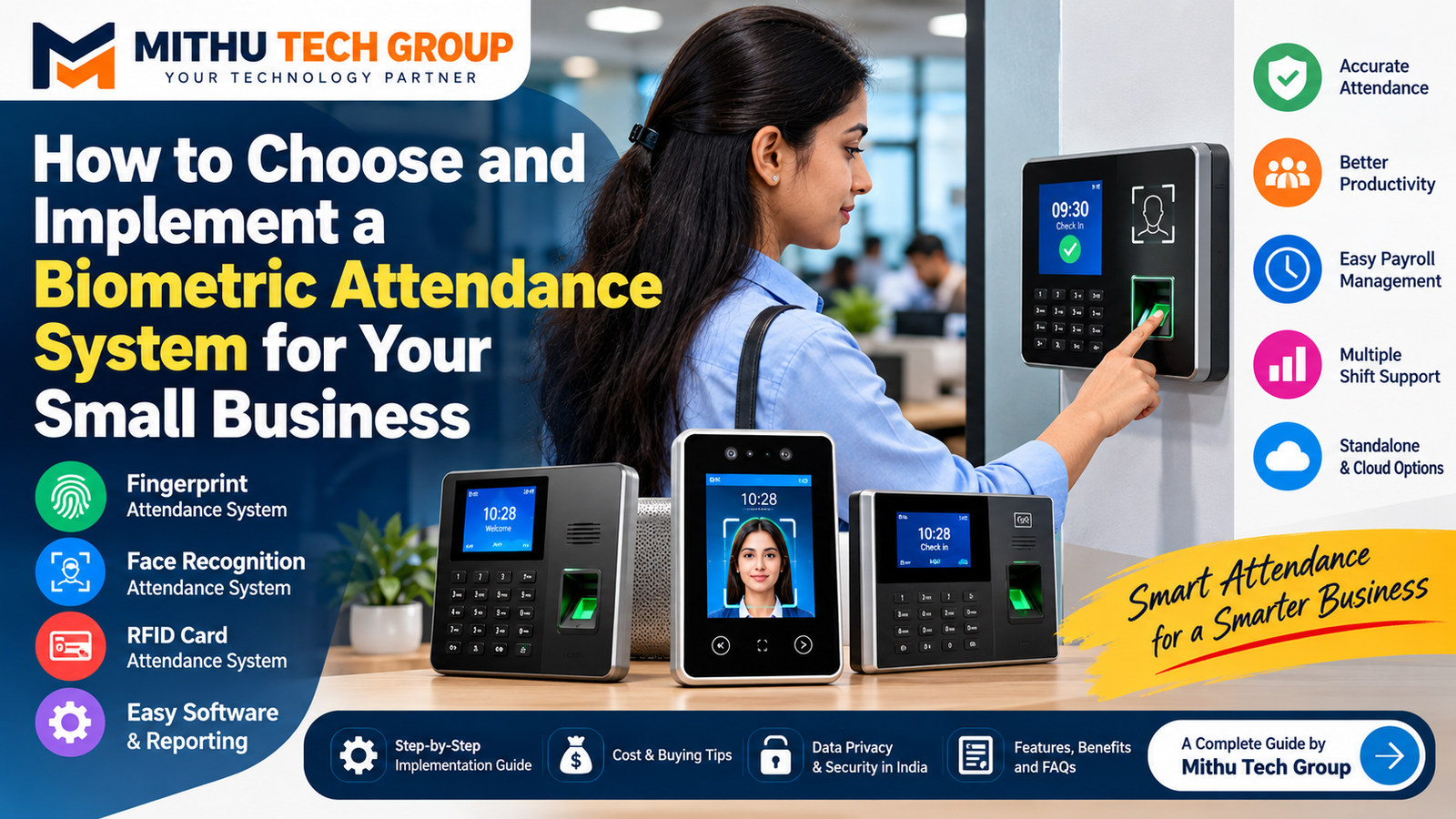
Published by: Mithu Tech Group
Introduction: Why Small Businesses Need a Biometric Attendance System
Biometric Attendance System: Managing employee attendance is an essential part of running a successful business. Whether you operate a retail shop, office, factory, warehouse, educational institution or service company, knowing when employees arrive, leave and take breaks helps you organise daily operations and maintain accurate attendance records.
Many small businesses still depend on handwritten registers, spreadsheets or informal messaging groups to record attendance. These methods can work when a business has only a few employees, but they often become difficult to manage as the workforce grows. Missing entries, incorrect calculations, forgotten punches, manual corrections and disagreements about working hours can consume valuable time.
A biometric attendance system offers a more structured approach. It uses an employee’s fingerprint, facial characteristics or another supported biometric method to verify identity and record attendance. Depending on the device and software, the system can generate attendance reports, calculate working hours, identify late arrivals and export records for payroll processing.
However, purchasing a biometric machine is not enough. The right system must match your business size, work schedule, security requirements, budget and reporting needs.
In this comprehensive guide, Mithu Tech Group explains how to choose and implement a biometric attendance system for your small business in India. You will learn about fingerprint and facial recognition technology, hardware selection, attendance software, installation, budgeting, employee onboarding, data security and common mistakes to avoid.
By the end, you should have a practical roadmap for selecting a system that saves administrative time and supports better workforce management.
1. What Is a Biometric Attendance System?
A biometric attendance system is a technology-based solution that records employee attendance after verifying an individual’s identity through a physical or behavioural characteristic.
Common biometric methods include fingerprint recognition, facial recognition and iris recognition. Some systems also combine biometrics with PIN codes, RFID cards or mobile applications.
A typical attendance system contains three components:
1. Biometric attendance machine: This device verifies employees when they check in or check out.
2. Attendance management software: The software stores attendance events, applies shift rules and produces reports.
3. Data storage and connectivity: Attendance records may be stored locally on the device, on a business computer or on a cloud-based platform, depending on the system design.
For example, imagine a small office with 15 employees. Instead of maintaining a daily paper register, employees use a fingerprint machine when they arrive and leave. The system records timestamps and transfers the data to attendance software.
The administrator can then review attendance, identify missing entries and prepare reports for payroll.
The precise capabilities depend on the selected machine and software. Some entry-level devices only record punches, while more advanced solutions support multiple shifts, leave management, mobile access, departmental reports and integrations with payroll systems.
2. Benefits of Biometric Attendance for Small Businesses
A biometric attendance system can offer several practical advantages when implemented correctly.
More structured attendance records
Employees use a defined check-in and check-out process rather than relying on handwritten entries. This creates a consistent digital record that managers can review.
Less manual data entry
Attendance software can reduce the need to calculate daily working hours manually. Depending on the configuration, reports can be generated for specific employees, departments or dates.
Better visibility into punctuality
Managers can review late arrivals, early departures, missed punches and attendance patterns. This information helps businesses apply their attendance policies consistently.
Easier payroll preparation
Attendance reports can support payroll calculations by providing working-hour totals, overtime records and other relevant information.
However, attendance data should not automatically be treated as a complete payroll calculation. Salary rules, approved leave, holidays, overtime policies and applicable labour requirements must also be considered.
Suitable for multiple shifts
Businesses operating morning, evening and night shifts may benefit from software that assigns employees to different schedules.
Improved accountability
A well-managed attendance process can reduce confusion about recorded entry and exit times. It also creates a clearer process for reviewing and correcting errors.
Potential for business expansion
Some systems allow additional employees, departments or branches to be added without replacing the entire solution. Confirm expansion limits before buying.
Important: A biometric attendance system does not eliminate every attendance problem. Device failures, incorrect enrolment, missed punches, poor configuration and inappropriate administrative practices can still create errors.
3. Which Type of Biometric Attendance Machine Is Best?
There is no single attendance machine that suits every business. The best option depends on the working environment, number of employees, expected daily traffic and available budget.
Fingerprint attendance machine
A fingerprint machine verifies employees using fingerprint patterns.
<PRIVATE_PERSON>Typical advantages include:
- Straightforward check-in and check-out.
- Familiar operation for many employees.
- Availability of models for small offices and larger workplaces.
- Options for standalone operation or software integration, depending on the model.
Potential limitations include difficulties reading some fingerprints because of worn skin, dirt, moisture, certain working conditions or sensor quality.
For example, employees working in construction, manufacturing or other hands-on occupations may experience more fingerprint-reading failures than office employees. This should be considered before choosing fingerprint-only attendance.
Face recognition attendance system
A facial recognition system uses a camera and supported recognition technology to identify an enrolled employee.
Potential advantages include touch-free attendance and convenience in workplaces where employees frequently handle materials or equipment.
However, performance depends on lighting, camera placement, device quality, enrolment procedures and the system’s ability to distinguish genuine users from presentation attacks.
Before buying, ask whether the device supports appropriate anti-spoofing or liveness-detection features, and test it under the lighting conditions found at your premises.
Iris recognition system
Iris recognition uses patterns in the iris of the eye. It is a specialised option that may be suitable for particular high-security environments.
For many small businesses, its cost and operational requirements may be unnecessary unless there is a specific reason to use it.
RFID card attendance system
An RFID card system records attendance when an employee presents an assigned card or tag.
RFID is not biometric identification because the card is a possession-based credential. Nevertheless, it can be a practical alternative for employees whose fingerprints are difficult to read.
Cards can be lost, shared or forgotten, so businesses should consider those risks.
Hybrid attendance systems
Some devices combine fingerprint recognition, facial recognition, RFID cards and PIN-based verification.
A hybrid system can provide flexibility when one verification method fails. It is particularly worth considering for workplaces with different job roles or challenging environmental conditions.
| Business requirement | Technology to consider |
|---|---|
| Small office with a limited workforce | Fingerprint or face recognition |
| Workplace requiring touch-free check-in | Face recognition |
| Employees with frequently damaged or worn fingerprints | Face recognition, RFID or a hybrid solution |
| Staff working in different environments | Hybrid attendance system |
| High-security facility with specialised needs | A suitably designed biometric solution |
| Business seeking a non-biometric alternative | RFID card or another documented attendance method |
The table is a starting point rather than a universal recommendation. Test the actual device with representative employees before making a final purchase.
4. How Many Employees Will Use the System?
One of the first questions to answer is how many employees need to register attendance.
A system designed for 10 employees may not be appropriate for an organisation with 150 employees or several branches.
When comparing devices, distinguish between:
- Maximum employee or user capacity.
- Fingerprint template capacity.
- Facial template capacity.
- Daily transaction storage.
- Maximum supported departments.
- Number of connected devices.
- Software licensing limits.
These specifications are not interchangeable.
For example, a machine may support a certain number of registered employees but have a separate limit on stored attendance transactions. Another device may support multiple biometric methods but have different capacity limits for each method.
Consider future growth as well. If your business has 20 employees today and expects to hire more, choose a system with enough capacity for realistic expansion.
For a business with multiple locations, centralised attendance software may be more important than the capacity of any individual machine.
5. Essential Features to Check Before Buying
Do not purchase a biometric machine based solely on its advertised price. Review the following features.
Employee capacity
Confirm that the device supports your current workforce and expected expansion.
Attendance transaction storage
Check how many attendance events can be stored if the network or software connection becomes unavailable.
Connectivity
Depending on the model, connectivity may include Ethernet, Wi-Fi, USB or another interface. Select a connection that suits your premises and IT setup.
Offline operation
Ask whether the device continues recording attendance during an internet or server outage and how records are synchronised afterward.
Attendance reports
Look for reports covering daily attendance, late arrivals, early departures, absences, working hours and missing punches.
Shift management
If your business operates rotating shifts, confirm that the software can assign schedules and interpret attendance events correctly.
Leave and holiday management
Check whether the software supports weekly offs, public holidays, approved leave and other relevant rules.
Payroll export
Verify whether attendance data can be exported to Excel, CSV or your existing payroll software. Do not assume that a machine supports a particular integration without checking.
Administrative access
Look for user roles, administrator controls and an audit trail for important attendance changes.
Warranty and technical support
Confirm warranty duration, exclusions, replacement procedures, software support and service availability.
Software charges
Ask whether the quoted price includes a perpetual licence, a subscription, a limited free version or additional charges for cloud access.
Data backup
Understand how attendance records and biometric templates are backed up, protected and restored.
A machine with many advertised features is not automatically the best choice. Prioritise the features your business will actually use.
6. Standalone vs Cloud-Based Attendance Systems
One of the most important purchasing decisions is how attendance data will be managed.
Standalone attendance system
A standalone system typically records attendance on the device and allows an administrator to download or transfer the data using a supported method.
Advantages may include:
- Lower recurring costs.
- Simpler operation for one small location.
- Less dependence on continuous internet access.
- Straightforward deployment where advanced integrations are unnecessary.
Potential disadvantages include manual data transfers, limited remote access and additional work when managing multiple locations.
Networked attendance system
A networked device communicates with a local computer or server. This can allow attendance records to be collected more conveniently.
The business must plan network access, software installation, backups and administrator permissions.
Cloud-based attendance system
A cloud-based platform stores or processes attendance data through an online service, depending on its architecture.
Potential benefits include centralised access, easier management of multiple branches and remote reporting.
However, cloud systems may introduce recurring subscription fees, internet dependencies, third-party data processing and additional security considerations.
Before choosing cloud attendance software, verify the provider’s data-handling practices, backup arrangements, access controls, contract terms and data export or deletion procedures.
Practical recommendation: A small business operating from one location may find a standalone or locally managed system sufficient. A business with multiple branches or remote managers may benefit from a properly secured centralised platform.
7. How Much Does a Biometric Attendance System Cost in India?
The total cost depends on the hardware, employee capacity, software, installation complexity and support requirements.
Rather than relying on a single advertised price, request a quotation based on your actual needs.
The following is an illustrative planning framework, not a verified current market-price list.
| Expense | What to include |
|---|---|
| Attendance machine | Device, biometric technology and capacity |
| Software | Licence, subscription and reporting functions |
| Installation | Mounting, wiring and configuration |
| Network equipment | Ethernet cable, switch or other required accessories |
| Employee enrolment | Initial registration and administrator training |
| Integration | Payroll or HR software connection, if required |
| Maintenance | Support, repairs and replacement arrangements |
| Data protection | Backup, access controls and security configuration |
Example budget planning
Suppose a small office needs one attendance machine for 15 employees.
The business should request a quotation that separately identifies the machine, software, installation, applicable taxes and any recurring charges.
A second quotation might include a cloud platform, payroll integration and remote administration.
Even if the second option costs more initially, it may save administrative time if the business has complex shifts or several branches.
On the other hand, paying for advanced features that will never be used can be a waste of money.
To calculate the real cost, compare the total cost of ownership over at least three years. Include recurring subscriptions, expected support charges and replacement costs where appropriate.
Ask the supplier to state exactly what is included and what will be billed separately.
8. Step-by-Step Guide to Implementing a Biometric Attendance System
A successful implementation requires more than fixing a machine to the wall. The following process helps reduce disruption and improves the quality of attendance records.
Step 1: Understand your current attendance process
Before buying equipment, document how attendance is currently recorded.
Identify the problems you want to solve:
- Manual attendance registers.
- Incorrect working-hour calculations.
- Missing attendance entries.
- Complicated shift schedules.
- Delays in preparing payroll.
- Difficulties managing several branches.
Also identify which tasks will remain manual, such as approving leave or authorising overtime.
Step 2: Define your attendance policy
Write down the rules the system must support.
For example:
- Official starting and finishing times.
- Grace periods for late arrivals.
- Lunch and break policies.
- Weekly holidays.
- Overtime approval.
- Night-shift rules.
- Missing-punch corrections.
- Leave approval.
- Treatment of holidays and half-days.
A biometric device cannot independently decide what constitutes a late arrival or a valid overtime claim. Those rules must be configured and administered consistently.
Step 3: Select the right hardware
Choose the device based on employee count, working conditions, verification requirements and software compatibility.
If your employees work with oil, dust or heavy machinery, test fingerprint performance before committing to fingerprint-only attendance.
If you choose face recognition, test the system in actual lighting conditions and ask about liveness detection.
Step 4: Confirm the software
Before purchase, obtain a demonstration of the attendance software.
Check whether the software can generate the reports your business needs and whether it supports your shift and leave policies.
Ask the supplier to demonstrate a complete workflow, from employee enrolment to exporting a monthly attendance report.
Step 5: Choose the installation location
The attendance machine should be accessible without obstructing employee movement.
Consider:
- The main entrance or designated attendance point.
- Power availability.
- Network connectivity.
- Lighting conditions.
- Protection from rain, dust and physical damage.
- Queue management during shift changes.
Avoid placing the device where employees must pass through an unsafe or congested area.
Step 6: Configure the device
Set the date, time, time zone, network settings and administrator permissions.
Where supported, configure secure synchronisation with the attendance software.
Test the clock regularly because incorrect device time can produce inaccurate attendance reports.
Step 7: Register employees
Create employee records and enrol the selected biometric identifiers according to the device manufacturer’s instructions.
Assign a unique employee ID to each person. Confirm names, departments and shift assignments before enabling attendance.
Use the minimum information necessary for the system to function.
Step 8: Run a pilot
Before making the system mandatory for everyone, test it with a small group of employees.
Check successful and failed punches, shift rules, reporting accuracy, connectivity and software synchronisation.
A pilot can reveal problems that would otherwise affect the entire workforce.
Step 9: Train employees and managers
Explain how to check in and out, what to do when a scan fails and how to request a correction.
Managers should also learn how to review reports, approve corrections and protect administrator accounts.
Step 10: Go live and monitor performance
During the first month, review attendance records regularly.
Investigate recurring failures, incorrect shifts, missing punches and discrepancies between attendance reports and approved leave.
Make controlled adjustments to the configuration and document significant changes.
Step 11: Establish a maintenance plan
Assign responsibility for checking the device, monitoring storage, updating software and reviewing backups.
Document who should be contacted if the machine stops working.
A clear support process is particularly important when attendance records affect payroll.
9. Employee Enrolment and Attendance Accuracy
Incorrect enrolment can create repeated verification failures.
When registering employees, follow the device manufacturer’s instructions and confirm that each person is associated with the correct employee ID.
For fingerprint systems, enrolment quality can be affected by sensor cleanliness, finger positioning and the employee’s physical condition.
For face recognition, consistent and appropriate enrolment conditions can improve reliability. Employees should not be registered using misleading images or unauthorised photographs.
If an employee repeatedly fails biometric verification, investigate the cause rather than immediately treating every failed scan as an attendance violation.
A fair fallback process may include administrator-approved corrections, an alternative credential or a manual attendance register during technical failures.
This is important because biometric matching is not infallible. A failed scan does not necessarily mean that an employee was absent.
10. Data Privacy and Security: What Indian Businesses Should Know
Biometric attendance systems process information connected to identifiable individuals. Businesses should treat this information carefully.
The legal requirements depend on the information collected, the system’s purpose, the organisation’s role and the applicable law.
India’s Digital Personal Data Protection Act, 2023 and the Digital Personal Data Protection Rules, 2025 are important sources to review when planning a system that processes digital personal data. The commencement and applicability of particular provisions should be checked against current government notifications.
Read the official government announcement on the Digital Personal Data Protection Rules, 2025.
Explain the purpose of collection
Tell employees why biometric information is being collected, how attendance records will be used and who will have access to them.
Use a clear employee notice and establish an appropriate process for questions and corrections.
Collect only what is needed
Do not collect unrelated identity information merely because a device or software makes it possible.
For ordinary attendance management, avoid collecting Aadhaar numbers or attempting Aadhaar authentication unless there is a separately established lawful basis and the applicable requirements have been reviewed.
A regular fingerprint attendance machine and an Aadhaar authentication device are not automatically the same thing.
For official information about Aadhaar-related biometric devices and authentication requirements, consult UIDAI’s biometric devices guidance.
Protect biometric templates
Where possible, prefer systems that use appropriate biometric templates rather than storing unnecessary raw fingerprint images.
Confirm how templates are protected, whether they are encrypted, how they are transferred and whether administrators can export them.
Ask the supplier what happens to the information when an employee leaves or the contract ends.
Restrict access
Only authorised personnel should be able to manage employee enrolment, view detailed records or change attendance information.
Use separate administrator accounts where supported and avoid sharing passwords.
Establish retention and deletion rules
Define how long attendance records must be retained for legitimate business and legal purposes.
Create a process for deleting information when it is no longer required, subject to applicable retention obligations.
Provide an alternative for genuine failures
Consider how attendance will be recorded if an employee cannot use the selected biometric method or if the device is unavailable.
A transparent fallback process can help avoid unfair treatment and payroll disputes.
Do not assume a fingerprint machine is an Aadhaar system
A normal biometric attendance device generally verifies enrolled users within its own attendance environment. Aadhaar authentication involves a distinct legal and technical framework.
Businesses should not use Aadhaar branding or describe a device as UIDAI-compliant unless the specific claim is accurate and supported by the applicable certification or authorisation.
For legal advice about your organisation’s obligations, consult a qualified professional familiar with Indian data-protection and employment requirements.
11. Common Mistakes to Avoid
Buying the cheapest machine without checking specifications
A low-cost device may not provide sufficient employee capacity, transaction storage or software support.
Ignoring software costs
A machine advertised at an attractive price may require a separate licence or subscription.
Choosing fingerprint-only attendance for every workplace
Employees with worn fingerprints or certain working conditions may experience repeated failures.
Assuming all devices support payroll integration
Confirm the exact integration and demonstrate the export process before buying.
Skipping the pilot phase
Testing the system with a small group can reveal configuration problems before they affect payroll.
Failing to establish a missed-punch policy
Employees need a defined method for correcting genuine errors.
Giving too many people administrator access
Excessive privileges can lead to unauthorised changes or accidental data loss.
Ignoring backup and recovery
A device failure should not leave the business without access to essential attendance records.
Using attendance data without a clear policy
Managers should apply the documented attendance rules consistently and review disputed records before taking action.
12. A Practical Example: Implementing Attendance for a Small Office
Consider a hypothetical business with 18 employees, one office and a standard daytime schedule.
The owner wants to reduce manual attendance work and prepare monthly attendance reports more efficiently.
A practical implementation could look like this:
Requirement assessment: The business confirms the number of employees, working hours, weekly holidays and reporting needs.
Device selection: The owner compares suitable fingerprint and face recognition devices, checks their user capacity and reviews software compatibility.
Software selection: The business chooses a platform that supports its schedule, employee records, attendance reports and required exports.
Installation: The device is mounted near the designated entrance, connected to power and configured for the correct date and time.
Enrolment: Employees are registered using the manufacturer’s supported procedure, with an alternative process established for verification failures.
Testing: The administrator checks attendance events, late-arrival rules, missing-punch corrections and monthly report generation.
Go-live: Employees begin using the system, and the administrator reviews discrepancies during the initial weeks.
Ongoing management: The business backs up relevant records, limits administrator access and periodically checks that the device and software are functioning correctly.
This is an illustrative implementation plan, not a claim about a completed customer installation or measured savings.
The same principles can be adapted for shops, factories, warehouses and businesses operating multiple shifts.
13. How to Evaluate an Attendance System Supplier
A good supplier should be able to explain both the hardware and the day-to-day operating process.
Before placing an order, ask these questions:
- What is the exact model number?
- How many employees can be enrolled?
- How many attendance transactions can be stored?
- Does the device work offline?
- What happens when network connectivity fails?
- Is the attendance software included?
- Are there recurring charges?
- Can the system support multiple shifts?
- Can reports be exported for payroll?
- How are biometric templates stored and protected?
- What warranty applies?
- Who provides technical support?
- What is the installation cost?
- Can the system be expanded later?
- How will data be exported or deleted when the system is replaced?
Request written answers wherever possible.
A supplier demonstration should include the complete attendance workflow rather than only showing the device’s display.
14. Why Professional Installation and Configuration Matter
Correct installation can help prevent avoidable problems such as unreliable connectivity, incorrect time settings, unsuitable mounting positions and inconsistent software synchronisation.
Mithu Tech Group provides technology-related services and supports businesses looking for practical IT and security solutions. If you are considering an attendance system for your office, shop or commercial premises in Durgapur, discuss the required functionality, device compatibility, installation arrangements and ongoing support before selecting a package.
A professional implementation should consider:
- Employee capacity.
- Device placement and power.
- Network configuration.
- Software setup.
- Employee enrolment.
- Shift and attendance rules.
- Data protection.
- Administrator training.
- Backup and recovery.
- Ongoing maintenance.
For businesses that also require workplace surveillance, our guides on office CCTV camera installation in Durgapur and shop CCTV camera installation in Durgapur provide related information.
Attendance and CCTV systems serve different purposes. If both are installed, they should have appropriate access controls and separate, clearly defined policies.
15. Frequently Asked Questions About Biometric Attendance Systems
1. Which biometric attendance system is best for a small business?
The best system depends on employee count, working conditions, attendance policies, budget and software requirements. Compare fingerprint, face recognition and hybrid devices before choosing.
2. Is a fingerprint attendance machine better than face recognition?
Neither method is universally better. Fingerprint devices can be practical in many offices, while face recognition offers touch-free verification. Test both technologies under the conditions found at your workplace.
3. Can a biometric attendance machine work without the internet?
Some devices can store attendance records locally and synchronise them later. Confirm offline functionality and storage capacity in the exact model specifications.
4. Does a biometric attendance machine calculate salaries automatically?
Not necessarily. Many systems generate attendance reports that can be exported to payroll software. Salary calculations may require separate rules for leave, overtime, holidays, deductions and other factors.
5. How many employees can use one attendance machine?
Capacity varies by model and software. Check employee enrolment limits, biometric template capacity and transaction storage separately.
6. Can I connect multiple attendance machines to one computer?
Many systems support multiple devices, but the exact capability depends on the hardware and software. Verify device limits, networking requirements and licensing before purchase.
7. Is cloud-based attendance software necessary?
No. A standalone or locally managed system may be sufficient for a single small business. Cloud software can be useful for multiple locations, remote management and centralised reporting.
8. What happens if an employee’s fingerprint does not work?
The administrator should investigate the problem and use an approved alternative attendance procedure. A failed biometric scan should not automatically be treated as proof of absence.
9. Is biometric attendance secure?
Security depends on device design, software, configuration, data storage, administrator permissions and ongoing maintenance. Ask how biometric templates and attendance records are protected.
10. Can biometric attendance data be used for payroll?
Attendance records can support payroll preparation. Before processing salary, verify shift rules, approved leave, overtime and corrections.
11. Is collecting employee fingerprints legally permitted in India?
The answer depends on the applicable legal framework and the circumstances of collection and use. Businesses should review relevant data-protection and employment requirements, provide appropriate information and obtain legal guidance where needed.
12. Is a regular fingerprint attendance machine the same as an Aadhaar biometric device?
No. A regular attendance machine may perform local verification using enrolled templates. Aadhaar authentication operates under a separate technical and regulatory framework. Do not assume the two are interchangeable.
13. How often should a biometric attendance system be maintained?
Follow the manufacturer’s maintenance instructions. Regularly check device operation, clock accuracy, network connectivity, storage, backups and software updates.
14. Can I use a biometric attendance system for multiple shifts?
Many systems support shift management, but the feature set varies. Confirm support for overnight shifts, grace periods, overtime rules and shift changes.
15. Should a small shop invest in biometric attendance?
It may be worthwhile if attendance administration is time-consuming or the business needs more consistent employee records. Compare the total cost with the administrative benefit before investing.
16. Related Resources and Useful Links
Explore these resources to learn more about business technology, workplace security and related services.
From Mithu Tech Group:
- Mithu Tech Group — Technology and IT Services
- Office CCTV Camera Installation in Durgapur
- Shop CCTV Camera Installation in Durgapur
- Factory CCTV Camera Installation in Durgapur
- Warehouse CCTV Camera Installation in Durgapur
Official external references:
- Digital Personal Data Protection Rules, 2025 — Press Information Bureau
- UIDAI — Biometric Devices
- UIDAI — Aadhaar Act, 2016
Other websites in your business network:
- Durgapur Property — Property listings and real estate information.
- Gitakart — Your online shopping website.
The real estate and shopping links are included as contextual links to your other businesses, not as technical references for biometric attendance. For this article, the official government resources are the appropriate references for privacy and Aadhaar-related information.
Conclusion: Choose an Attendance System That Fits Your Business
A biometric attendance system can help small businesses organise employee attendance, reduce manual recordkeeping and produce more consistent reports. However, the benefits depend on selecting the right technology and implementing it correctly.
Start by identifying the number of employees, working schedules, reporting requirements and environmental conditions. Compare fingerprint and face recognition devices, confirm software compatibility, understand all recurring charges and establish a fair process for missed punches and technical failures.
Pay particular attention to biometric data protection. Limit collection to what is necessary, explain the purpose of the system, restrict administrative access and establish appropriate retention and deletion practices.
Finally, run a pilot before making the system mandatory for the entire workforce. Verify attendance reports carefully during the first month and train the people responsible for managing the system.
A well-selected attendance solution should make everyday business administration simpler rather than creating another complicated process.
Planning a biometric attendance system for your office, shop or commercial premises in Durgapur?
Contact Mithu Tech Group to discuss your business technology requirements.
- Phone: 9749101117
- Email: info@mithutech.com
- Website: https://mithutech.com/
Choose the system based on your actual requirements, confirm the specifications before purchase and build a clear implementation plan from the beginning.
This article is original editorial content prepared for Mithu Tech Group. The government links are provided as references for further reading. Because data-protection rules and their commencement provisions may change, review the applicable official notifications before making specific legal compliance claims. Verify the exact specifications, prices, warranty terms and availability of any attendance machine before adding product recommendations or quotations.