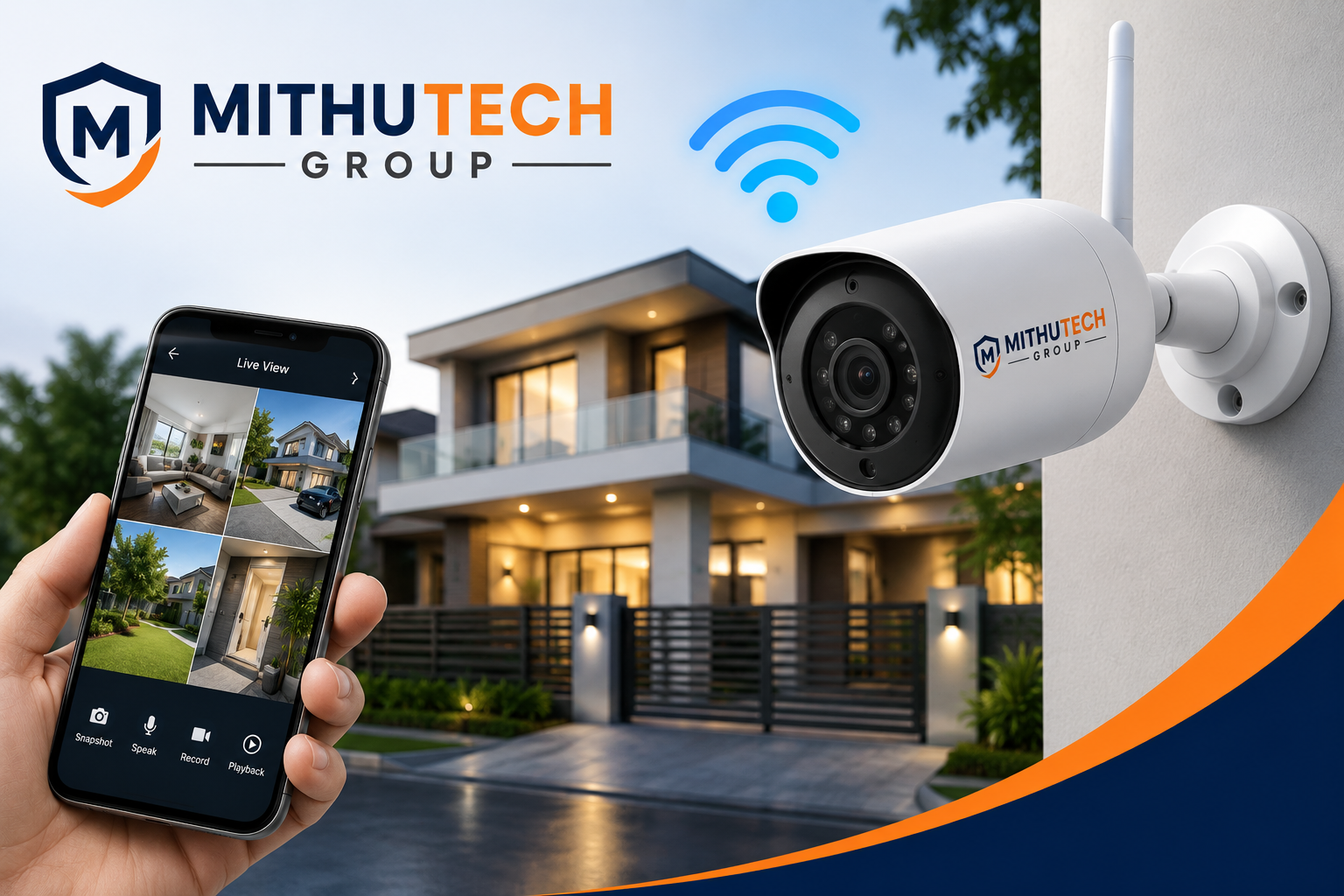
Looking for WiFi CCTV camera installation in Durgapur? Discover wireless security camera solutions for homes, shops, offices, apartments, and businesses with professional installation, remote mobile viewing, and expert support.
WiFi CCTV Camera Installation in Durgapur
Wireless security cameras have become one of the most popular choices for homeowners and small businesses. They offer flexible installation, smartphone monitoring, motion alerts, and high-definition video without the need for extensive cabling.
If you are searching for WiFi CCTV Camera Installation in Durgapur, understanding the features, installation process, and ideal applications can help you choose the right system for your property. A well-planned setup focuses on covering important entry points and common areas while avoiding private spaces such as bedrooms and bathrooms.
Benefits of WiFi CCTV Cameras
- Easy installation
- Live viewing on mobile devices
- Motion detection alerts
- Two-way audio (on supported models)
- Full HD and 2K video options
- Night vision
- Cloud or local storage options
- Smart home integration (depending on model)
- Suitable for homes, apartments, shops, and small offices
Where WiFi Cameras Work Best
WiFi CCTV cameras are ideal for:
- Houses
- Apartments
- Villas
- Retail shops
- Clinics
- Offices
- Coaching centres
- Small warehouses
Recommended Installation Locations
For the best coverage, cameras are commonly installed at:
- Main entrance
- Front gate
- Living room
- Parking area
- Staircase
- Balcony
- Backyard
- Office reception
- Shop entrance
Features to Consider Before Buying
Choose a WiFi CCTV camera with features such as:
- Full HD or higher resolution
- Infrared or colour night vision
- Motion detection
- Mobile app support
- Two-way communication
- Secure remote viewing
- Weather-resistant housing for outdoor use
- Reliable storage options
Professional Installation Process
A professional installation typically includes:
- Site inspection
- Camera location planning
- WiFi signal assessment
- Camera mounting
- Mobile app configuration
- Recording setup
- System testing
- User guidance
Maintenance Tips
To keep your WiFi CCTV system working efficiently:
- Clean camera lenses regularly.
- Ensure your WiFi network is stable.
- Update firmware when available.
- Test remote viewing periodically.
- Check storage capacity and recordings.
Conclusion
WiFi CCTV cameras are an excellent solution for modern homes and businesses that want flexible installation and convenient remote monitoring. Selecting the right camera, placing it correctly, and ensuring a stable network connection are key to achieving dependable security.
Contact Information
Mithu Tech Group
📞 Phone: 9749101117
🌐 Website: www.mithutech.com
FAQ
1. What is a WiFi CCTV camera?
A WiFi CCTV camera is a security camera that connects to your wireless internet network instead of using a network cable for data transmission. It captures live video and allows users to monitor their property through a smartphone, tablet, or computer. Many WiFi cameras also support motion detection, two-way audio, night vision, cloud storage, and memory card recording. They are ideal for homes, apartments, small offices, shops, and clinics because installation is faster and requires less wiring than traditional wired systems.
2. Is a WiFi CCTV camera suitable for home security in Durgapur?
Yes. WiFi CCTV cameras are an excellent choice for homes in Durgapur. They help monitor entrances, parking areas, balconies, living rooms, gardens, and other important locations. Homeowners can receive instant notifications whenever motion is detected and can check live footage from anywhere using a mobile application. A professionally installed WiFi CCTV system adds convenience, improves security, and provides peace of mind whether you are at home or away.
3. What are the advantages of WiFi CCTV cameras?
WiFi CCTV cameras offer several benefits, including easy installation, remote viewing through a mobile app, Full HD or higher video quality, motion alerts, two-way communication on supported models, flexible camera placement, and optional cloud storage. Many models also include infrared night vision and AI-based human detection. These features make WiFi cameras a popular choice for modern residential and small commercial security systems.
4. Can I view my WiFi CCTV cameras from anywhere?
Yes. If your WiFi CCTV camera is connected to the internet, you can securely view live video and recorded footage from almost anywhere using the manufacturer’s mobile application or web portal. This allows homeowners and business owners to monitor their property while travelling, working, or on vacation.
5. Does a WiFi CCTV camera require an internet connection?
An internet connection is required for remote viewing, cloud storage, and mobile notifications. However, many WiFi cameras can continue recording locally to a memory card even if the internet connection is temporarily unavailable. Once the connection is restored, remote access becomes available again.
6. What is the maximum range of a WiFi CCTV camera?
The effective range depends on the strength of your wireless router, walls, interference, and the camera model. For reliable performance, cameras should be installed where the WiFi signal is strong. In larger homes or offices, WiFi extenders or mesh WiFi systems can improve coverage and maintain a stable connection.
7. Are WiFi CCTV cameras secure?
Yes, when properly configured. Choosing strong passwords, enabling two-factor authentication (if available), keeping firmware updated, and using secure home WiFi settings can help protect your camera from unauthorized access. Purchasing products from reputable manufacturers also improves security and reliability.
8. Can WiFi CCTV cameras record at night?
Yes. Most WiFi CCTV cameras include infrared night vision or colour night vision technology. These features allow the camera to capture clear video during low-light conditions or complete darkness, making them suitable for entrances, parking areas, gardens, and outdoor spaces.
9. How much does WiFi CCTV camera installation cost in Durgapur?
The cost depends on factors such as the number of cameras, recording resolution, storage option, installation complexity, mounting requirements, and additional accessories. A site survey helps determine the most suitable system and provides an accurate estimate based on your property’s security needs.
10. Why should I hire a professional for WiFi CCTV camera installation?
Professional installation helps ensure the cameras are placed in the right locations, the WiFi signal is adequate, the recording settings are configured correctly, and the mobile application is properly connected. Installers also test the system, verify video quality, and explain how to use the equipment effectively. This reduces the likelihood of blind spots, poor connectivity, and other common installation issues.
11. What is the difference between a WiFi CCTV camera and a wired CCTV camera?
A WiFi CCTV camera transmits video over a wireless network, making it easier to install with less cabling. It is ideal for homes, apartments, and small offices where flexible installation is important. A wired CCTV camera uses network or coaxial cables to transmit video and is generally preferred for larger buildings, factories, warehouses, and commercial properties where maximum connection stability is required. Both systems provide excellent security when professionally installed, and the best choice depends on your property’s size, internet availability, and surveillance requirements.
12. Can WiFi CCTV cameras record without WiFi?
Yes. Many WiFi CCTV cameras continue recording to a built-in memory card even if the WiFi connection is temporarily lost. During this period, remote viewing and mobile notifications may not work, but local recording can continue if supported by the camera. Once the internet connection is restored, remote access usually becomes available again. Always check the camera specifications to confirm its offline recording capabilities.
13. How much internet speed is required for a WiFi CCTV camera?
The required internet speed depends on the number of cameras, video resolution, and how often you use remote viewing. A single Full HD camera generally requires only a modest internet connection for smooth remote monitoring. If multiple cameras are streaming simultaneously, a faster and more stable broadband connection is recommended. A strong WiFi signal is equally important to maintain consistent video quality.
14. Can I install a WiFi CCTV camera outdoors?
Yes. Many WiFi CCTV cameras are specifically designed for outdoor use. These models feature weather-resistant housings that protect against rain, dust, and varying temperatures. Outdoor cameras are commonly installed at gates, entrances, parking areas, gardens, terraces, boundary walls, and driveways. Selecting the correct mounting location helps maximize coverage while protecting the camera from direct environmental exposure.
15. What is cloud storage in a WiFi CCTV camera?
Cloud storage is an online recording service where video footage is securely stored on remote servers instead of only on a local memory card or recorder. This provides an additional layer of protection because recordings remain available even if the camera is damaged or stolen. Depending on the manufacturer, cloud storage may require a subscription plan and can offer different storage durations and features.
16. What is a memory card in a WiFi CCTV camera used for?
Many WiFi CCTV cameras support microSD memory cards for local video recording. The camera stores footage directly on the card, allowing users to review recordings without requiring a separate DVR or NVR. The recording duration depends on the card capacity, video quality, and recording settings such as continuous or motion-based recording.
17. Can WiFi CCTV cameras detect people instead of general movement?
Many modern WiFi CCTV cameras include AI-based human detection technology. Unlike basic motion detection, AI features help distinguish people from other moving objects such as pets, tree branches, or shadows. This reduces false alerts and provides more meaningful notifications, helping homeowners respond more effectively to important events.
18. What is two-way audio in a WiFi CCTV camera?
Two-way audio allows users to both hear sounds from the camera location and speak through the camera using a built-in speaker and microphone. This feature can be useful for communicating with family members, delivery personnel, visitors, or staff without being physically present. Availability depends on the camera model.
19. How do I maintain a WiFi CCTV camera?
Regular maintenance helps ensure reliable performance. Clean the camera lens periodically to remove dust and dirt, check that the mounting remains secure, verify the WiFi signal strength, update the camera firmware when available, review recordings to confirm proper operation, and inspect the power supply. Routine maintenance helps extend the camera’s lifespan and maintain clear video quality.
20. How do I choose the best WiFi CCTV camera installation service in Durgapur?
Choose an installation provider that offers genuine products, professional installation, proper camera placement, mobile app configuration, warranty support, and after-sales service. A good installer should also perform a site inspection, recommend suitable camera locations, explain system features, and provide guidance on operating and maintaining the equipment. Selecting an experienced installer helps ensure dependable long-term performance and effective security coverage.
Mithu Tech Group
CCTV Camera Sales, Installation & Security Solutions
📞 Phone: 9749101117
🌐 Website: www.mithutech.com
Mithu Tech Group
Professional CCTV & Security Solutions
📞 Phone: 9749101117
🌐 Website: www.mithutech.com